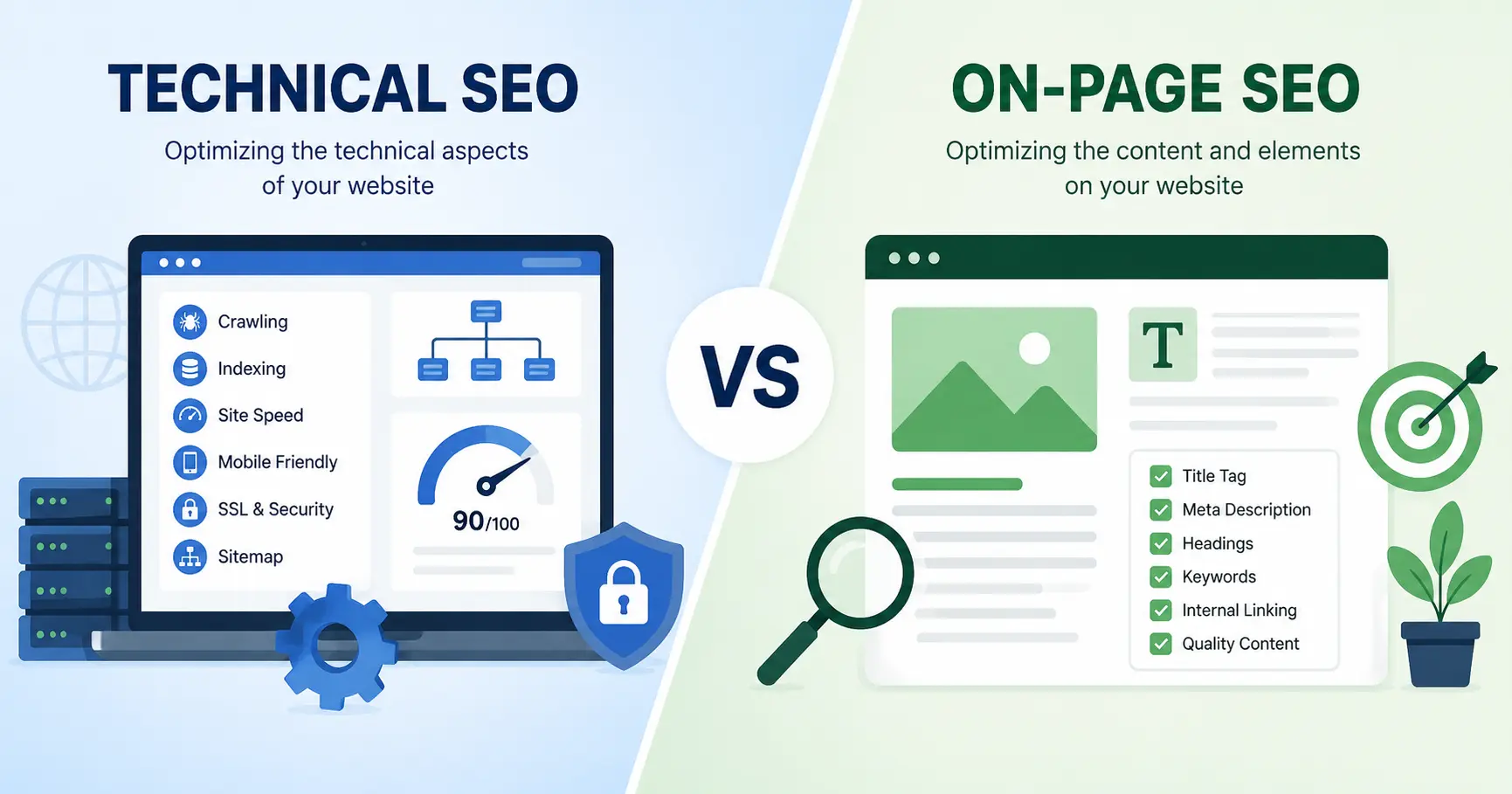
Technical SEO controls whether search engines can access a website, while on-page SEO controls whether the content on that website satisfies what a searcher typed in. One discipline lives in server configuration, page speed, and code. The other lives in words, headings, and internal links.
A site with a 6-second load time and broken canonical tags won’t rank no matter how well-written the content is. A perfectly fast, fully indexed page still won’t rank if the content misses the user’s search intent by a mile. Google evaluates both layers at the same time, and treating them as interchangeable is where most site audits go wrong.
What Is Technical SEO?
Technical SEO is the practice of optimising a website’s infrastructure so search engines can crawl, render, and index its pages correctly. This covers server response times, mobile rendering, security protocols, and the code-level signals that tell Googlebot what to do with a page before a human ever reads it.
Core Web Vitals: LCP, INP, and CLS
Google measures page experience through three Core Web Vitals metrics. Largest Contentful Paint (LCP) tracks how long the main content takes to load, and Google’s threshold for a “good” score is 2.5 seconds or less. Interaction to Next Paint (INP) replaced First Input Delay (FID) in March 2024 and measures how fast a page responds to a click, tap, or keypress – the target is 200 milliseconds or under. Cumulative Layout Shift (CLS) scores visual stability, with 0.1 or lower considered acceptable.
Retailers running product pages with more than 50 images per listing often see LCP scores climb past 4 seconds on mobile, which pushes affected pages into Google’s “poor” bucket and directly reduces visibility in mobile search results.
Crawlability and Indexation
Crawlability determines whether Googlebot can reach a page at all. Indexation determines whether that page gets stored in Google’s index once crawled. A page can pass the first test and fail the second—noindex tags, canonical conflicts, and duplicate content all block indexation even on pages Googlebot successfully visits.
Robots.txt files, XML sitemaps, and canonical tags work together to guide this process. Get one wrong, and pages disappear from search results with no warning in Google Search Console beyond a quiet “Crawled – currently not indexed” status.
Structured Data and Schema Markup
Structured data uses a standardised vocabulary from Schema.org to describe page content in a format search engines parse directly. JSON-LD (JavaScript Object Notation for Linked Data) is Google’s preferred format for implementing this markup. A recipe page tagged with Recipe schema can surface star ratings, cook time, and calorie counts directly in search results, well before a click happens.
Product pages, FAQ sections, and how-to guides benefit the most from this markup because each one has a defined schema type built specifically for it.
Site Architecture and Crawl Budget
A crawl budget is the number of pages Googlebot will crawl on a given site within a given time frame. Large sites (think 10,000+ URLs) burn through crawl budget fast if faceted navigation, session IDs, or infinite pagination generate thousands of near-duplicate pages.
A flat site architecture, where any page sits within three or four clicks of the homepage, keeps crawl paths efficient. Deep, buried architecture wastes crawl budget on low-value pages while important pages go unvisited for weeks.
AI Crawler Access and llms.txt
AI answer engines like Google’s AI Overviews, ChatGPT, and Perplexity crawl websites differently than traditional search bots. Some site owners now publish an llms.txt file, a proposed standard still evolving in 2026, that tells AI crawlers which content to prioritise or exclude. This sits squarely in technical SEO territory because it governs machine access to a site, not the words on the page itself.
What Is On-Page SEO?
On-page SEO is the practice of optimising the content and HTML elements within individual web pages so both users and search engines understand what each page is about. Unlike technical SEO, every element here is directly editable without developer involvement in most cases.
Title Tags and Meta Descriptions
A title tag tells search engines and searchers what a page covers, and Google typically displays 50 to 60 characters of it in search results before truncating with an ellipsis. Meta descriptions don’t influence rankings directly, but a well-written one shapes click-through rate. Keep meta descriptions around 105 characters to avoid truncation on mobile devices.
Heading Structure
Every page needs exactly one H1 tag containing the primary topic. Subheadings — H2, H3, and beyond — break the page into scannable sections and signal hierarchy to both readers and crawlers. Landing pages, blog posts, and product category pages all follow the same rule regardless of length.
Content Quality and Search Intent
Search intent is the underlying goal behind a query: informational, navigational, commercial, or transactional. Content built without identifying which intent a keyword serves tends to underperform even with strong technical foundations, because it answers a question nobody asked.
A page targeting “best running shoes” written as a brand history piece will lose to a comparison page with pricing and specs, since the query signals commercial intent, not informational curiosity.
Internal Linking
Internal links connect pages within the same site and pass both crawl paths and topical relevance between them. A blog post linking to a product page with the anchor text “waterproof hiking boots” tells Google that page is the most relevant result on the site for that phrase.
Image Optimization and Alt Text
Alt text describes an image for screen readers and search engines that can’t visually parse a photo. Descriptive file names, compressed file sizes under 200 KB (kilobytes) per image, and accurate alt attributes all contribute to both accessibility and page load speed.
Technical SEO vs On-Page SEO: Key Differences
| Factor | Technical SEO | On-Page SEO |
|---|---|---|
| Primary question answered | Can search engines access and render this page? | Does this page satisfy the query? |
| Who typically executes it | Developers, technical SEO specialists | Content writers, marketers |
| Visible to users | No | Yes |
| Examples | Site speed, crawlability, schema markup | Title tags, headings, content |
| Failure mode | Pages don’t get indexed | Pages get indexed but don’t rank or convert |
Where Technical SEO and On-Page SEO Overlap
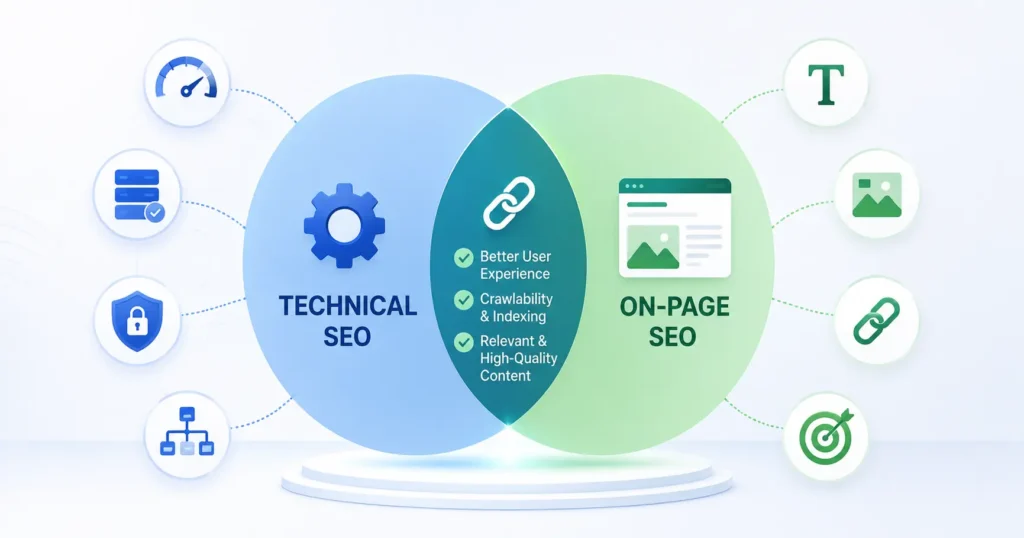
Page speed sits in both camps. Server response time is a technical factor, while unoptimised images embedded in the content are an on-page factor both affect the same Largest Contentful Paint score. Schema markup lives in the HTML code, which makes it technical, but it describes on-page content, which makes it on-page by function. Internal linking is an on-page decision that directly shapes technical crawl paths.
None of this overlap makes the two disciplines interchangeable. It means fixing one frequently improves the other without extra work.
Which Should You Fix First: Technical SEO or On-Page SEO?
Fix technical SEO first if search engines can’t crawl or index a site’s pages at all. Content quality becomes irrelevant if Googlebot never reaches the page to read it. Run a crawl audit before investing in content at scale — tools like Google Search Console’s Coverage report and third-party crawlers surface indexation blockers within a single scan.
Once crawlability and indexation are confirmed clean, on-page SEO delivers faster, more visible wins. A rewritten title tag or restructured heading set can shift rankings within days. A server migration or Core Web Vitals fix can take weeks to show measurable movement, since Google needs to recrawl and reprocess affected pages first.
WCAG 2.2 and ADA Compliance: The US-Specific Technical Factor
Web Content Accessibility Guidelines (WCAG) 2.2 sets the current technical standard for site accessibility, covering color contrast ratios, keyboard navigation, and screen reader compatibility. In the United States, the Americans with Disabilities Act (ADA) has been applied to websites in multiple federal court rulings, and businesses without WCAG-compliant sites face real legal exposure, not just a ranking penalty.
Accessibility overlaps with technical SEO directly. Proper heading hierarchy, alt text, and semantic HTML serve screen readers and search engine crawlers using nearly identical signals. A site built to WCAG 2.2 standards is, in most cases, already halfway toward strong technical SEO.
How AI Overviews Are Changing Technical and On-Page Priorities in 2026

Google’s AI Overviews now answer a growing share of informational queries directly in the search results page, before a user clicks any link. This shifts on-page priorities toward content structured for extraction: clear, direct answers near the top of a section, followed by supporting detail.
On the technical side, AI crawlers need clean, fast-rendering HTML to parse content accurately. Heavy JavaScript rendering that delays content visibility hurts AI Overview inclusion in the same way it hurts traditional indexation. The two disciplines aren’t diverging in the AI search era. They’re converging around the same requirement: content that’s both fast to access and easy to extract.
Technical SEO vs On-Page SEO Checklist
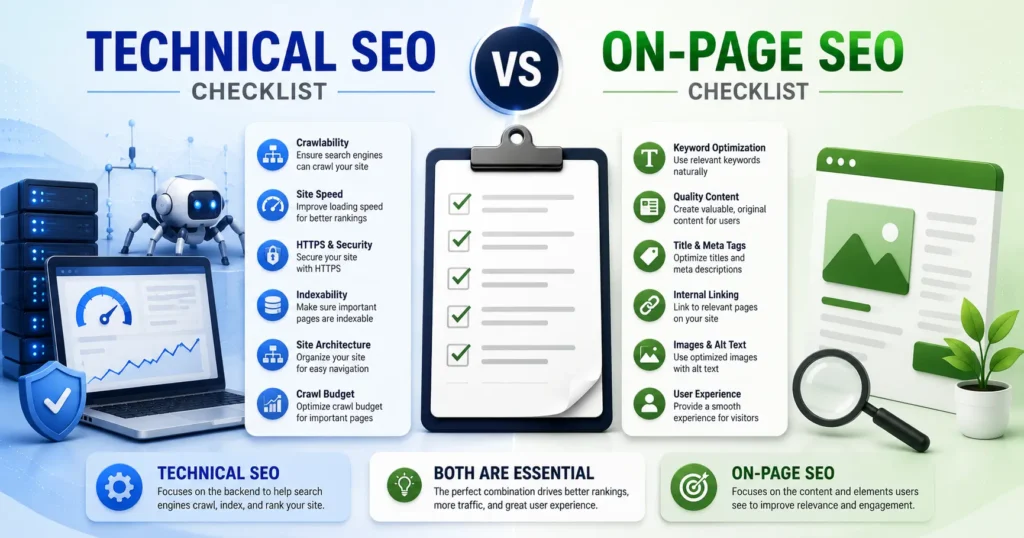
Technical SEO tasks:
- Confirm Largest Contentful Paint scores under 2.5 seconds
- Fix Interaction to Next Paint scores above 200 milliseconds
- Resolve Cumulative Layout Shift issues above 0.1
- Audit robots.txt and XML sitemap accuracy
- Implement JSON-LD structured data on eligible page types
- Verify WCAG 2.2 accessibility compliance
On-page SEO tasks:
- Write unique title tags under 60 characters
- Write meta descriptions under 105 characters
- Structure content with one H1 and logical H2/H3 hierarchy
- Match content format to search intent
- Add internal links with descriptive anchor text
- Compress images under 200 KB with accurate alt text
Conclusion
Technical SEO and on-page SEO measure two different things: access and relevance. A site fails technical SEO if Googlebot can’t crawl, render, or index its pages. A site fails on-page SEO if the content doesn’t answer what the searcher actually typed. Both failures cap rankings, just at different points in the process. Run a technical audit first to confirm nothing is blocking indexation, then invest in on-page content built around real search intent. Skip either step, and the other one won’t matter.