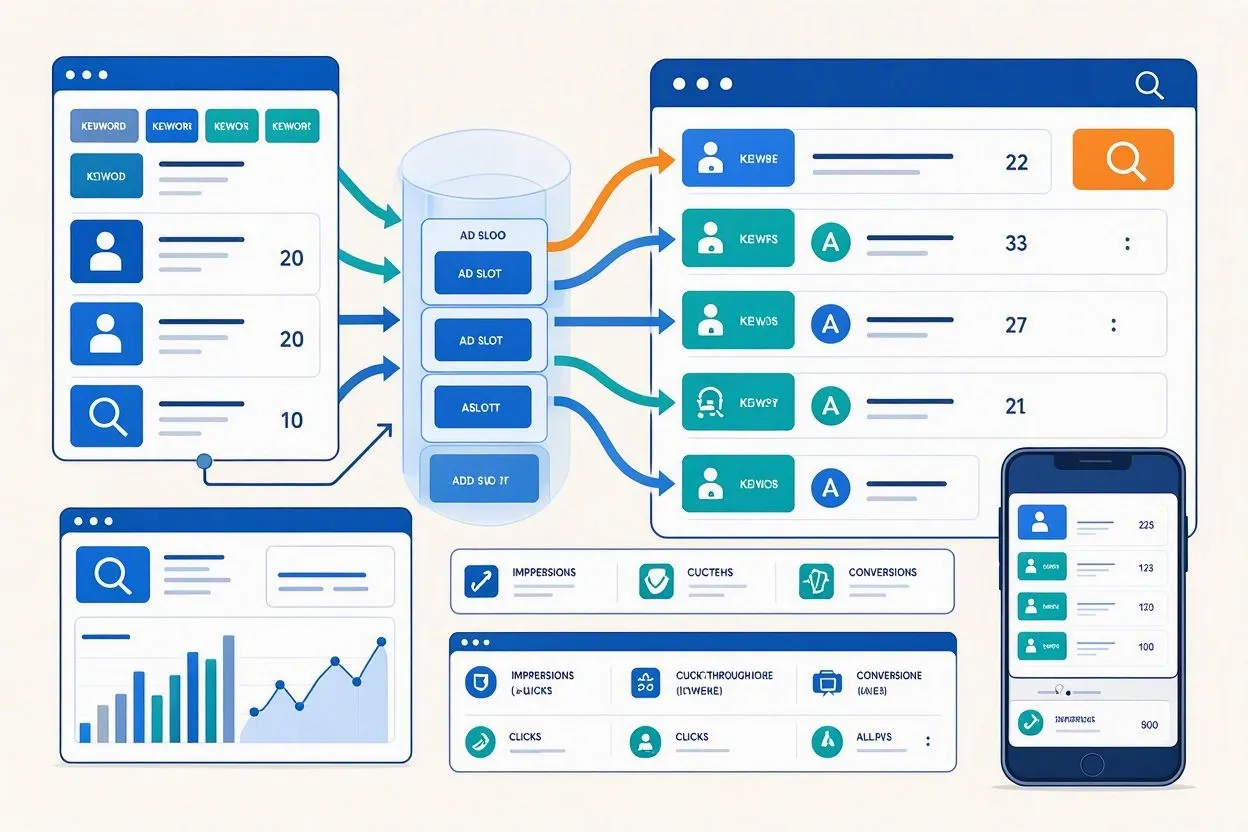
Google Ads work through a real-time auction: you bid on keywords, Google scores your ad’s relevance and bid together into a number called Ad Rank, and the highest-ranking ads win the top positions on the search results page. You pay only when someone clicks (in most campaign types), and your ad can appear on Google Search, YouTube, Gmail, Google Maps, and millions of partner sites across the Google Display Network (GDN). The system runs thousands of these auctions every second, and no two advertisers pay the exact same price for the exact same spot.
That’s the short version. Google Ads sits inside a broader discipline called search engine marketing (SEM), the practice of paying for visibility on search results pages rather than earning it through organic search engine optimization (SEO).
The rest of this guide breaks down each moving part of that paid search system, so you understand how Google Ads work well enough to build a campaign that doesn’t waste money.
What Is Google Ads and How Does It Work at a High Level?
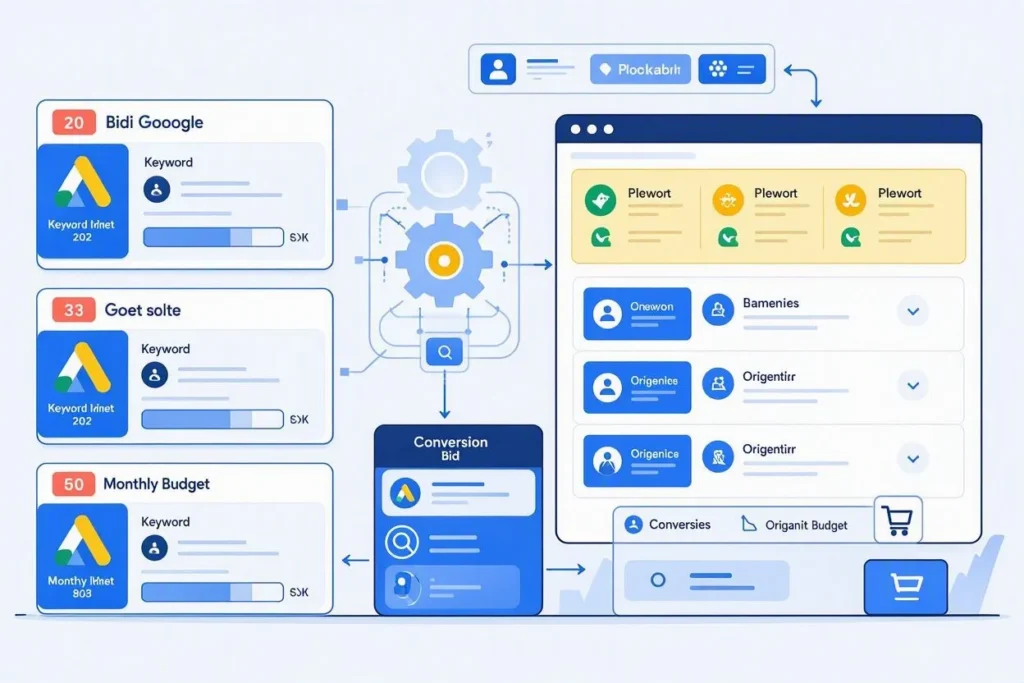
Google Ads is Google’s pay-per-click (PPC) advertising platform, and it works by matching advertiser bids to user searches through an automated auction. As the largest search engine marketing (SEM) platform in the US, it powers most of the paid search advertising that appears above organic search results. Businesses set up campaigns, choose keywords or audiences to target, write ads, and set a budget. Google then decides, auction by auction, which ads to show and in what order.
Three things happen every time someone searches on Google or opens an app that runs Google ads:
- Google identifies every advertiser eligible to show an ad for that search or that user
- Google ranks those eligible ads using bid amount and ad quality combined
- Google displays the winning ads and charges advertisers only for the actions they’ve agreed to pay for, such as clicks
A dentist in Austin bidding on “emergency dentist near me” competes only against other dentists targeting that same search, not against a shoe retailer three states away. Geographic targeting, keyword selection, and audience settings all narrow the auction pool before ranking even starts.
How Does the Google Ads Auction Work?
The Google Ads auction works by running a sealed-bid, second-price style auction every single time a search advertising slot becomes available. Advertisers submit a maximum bid without seeing competitors’ bids. Google then calculates Ad Rank for every eligible advertiser and orders the results from highest to lowest.
The pricing twist matters here. You don’t pay your maximum bid. You pay just enough to beat the advertiser ranked directly below you, plus one cent. If your max bid is $4.00 and the advertiser below you needs a bid of $2.75 to match your Ad Rank, you pay roughly $2.76 for that click. This structure rewards advertisers who bid honestly instead of guessing low.
Auctions run in milliseconds and factor in the searcher’s device, location, time of day, and past behavior. A search for “plumber” in Denver at 9 p.m. triggers a completely separate auction from the same search at 9 a.m., since intent and competition shift throughout the day.
What Is Ad Rank and How Is It Calculated?
Ad Rank is the score Google uses to decide ad position, and it’s calculated by multiplying your bid by your Quality Score, then adjusting for expected impact from ad formats and extensions, plus the context of the specific search. A higher Ad Rank wins a higher position on the page or wins the auction outright.
The formula, in simplified form:
Ad Rank = Max CPC Bid × Quality Score × Expected Impact of Ad Extensions and Formats
Two advertisers can bid the same $3.00, yet the one with a Quality Score of 8 out of 10 will outrank the one scoring 4 out of 10. That gap explains why some businesses pay less per click while ranking higher than competitors spending more.
Google also applies Ad Rank thresholds, minimum scores an ad must clear before it’s eligible to show at all. If no advertiser clears the threshold for a given search, no ads appear on that results page.
What Is Quality Score and Why Does It Matter?
Quality Score is a 1-to-10 rating Google assigns to each keyword, and it matters because it directly lowers or raises the price you pay per click. Google calculates it from three factors: expected click-through rate (CTR), ad relevance to the keyword, and landing page experience.
Expected CTR estimates how likely people are to click your ad compared to competitors targeting the same keyword. Ad relevance measures how closely your ad copy matches search intent. Landing page experience checks load speed, mobile usability, and whether the page actually delivers what the ad promised.
An advertiser who raises Quality Score from 4 to 8 can cut cost-per-click (CPC) by roughly 50%, according to data Google has published on the relationship between score and price. That’s the single biggest lever most advertisers ignore while chasing bigger budgets instead.
How Does Google Ads Bidding Work?
Google Ads bidding works by letting advertisers choose what action they want to pay for, then either setting a manual maximum bid or letting Google’s machine learning set bids automatically for each auction. The bid type you pick shapes which PPC metric Google optimizes toward.
Five core payment models exist:
- Cost-per-click (CPC): you pay when someone clicks your ad
- Cost-per-mille (CPM): you pay per 1,000 impressions, regardless of clicks
- Cost-per-engagement (CPE): you pay when someone interacts with an expandable or video ad
- Cost-per-acquisition (CPA): you pay based on a target cost per conversion
- Cost-per-view (CPV): you pay when someone watches or interacts with a video ad
Smart Bidding, Google’s automated bidding system, now handles the majority of active campaigns. It adjusts bids in real time using signals like device, location, remarketing list membership, and time of day, something a human manager can’t realistically do at the volume of thousands of daily auctions. Target CPA, Target ROAS, and Maximize Conversions all fall under Smart Bidding.
If your account has fewer than 30 conversions per month, Smart Bidding won’t have enough data to optimize well, so manual CPC bidding usually performs better until volume builds up.
What Are the Main Google Ads Campaign Types?
Google Ads offers seven main campaign types, and each one works by placing paid search or paid media ads on a different combination of Google-owned properties and partner sites. Picking the right type depends entirely on the business goal, not personal preference.
- Search campaigns place text ads above organic results when someone types a matching query
- Display campaigns place image and responsive ads across roughly 35 million websites and apps in the GDN
- Shopping campaigns place product listings with images, prices, and store names directly on the search results page
- Video campaigns place skippable, non-skippable, or in-feed ads across YouTube
- App campaigns place ads across Search, Display, YouTube, and Google Play to drive installs
- Performance Max campaigns place ads across every Google surface at once, using AI to find the highest-converting combination automatically
- Demand Gen campaigns place visually rich ads on YouTube, Discover, and Gmail to reach people before they start actively searching
A local bakery running a $20-a-day Search campaign for “custom birthday cake [city name]” reaches only bottom-funnel buyers. The same bakery running Demand Gen on Instagram-style Discover feeds reaches people who haven’t decided to buy a cake yet, but might scroll past a photo that changes their mind.
How Do Keyword Match Types Control Who Sees Your Ad?
Keyword match types control who sees your ad by setting how closely a searcher’s query must match your chosen keyword before your ad becomes eligible to enter the auction. Google currently supports three match types, down from four after the broad match modifier was retired.
- Exact match shows your ad only for searches with the same meaning as your keyword
- Phrase match shows your ad for searches that include the meaning of your keyword within a longer query
- Broad match shows your ad for searches Google considers related to your keyword’s meaning, even without shared words
Negative keywords work in the opposite direction. Adding “free” as a negative keyword to a paid software campaign stops your ad from showing to people searching for a “free project management tool,” saving budget that would otherwise fund clicks that never convert.
If your account relies heavily on broad matches without negative keywords layered in, expect wasted spend on loosely related searches within the first week of a new campaign.
How Does Google Ads Targeting Work?
Google Ads targeting works by layering multiple PPC signals, keywords, location, demographics, audience segments, and device type, on top of each other so ads reach only the people most likely to convert. Every layer you add narrows the pool further.
Location targeting can go as tight as a 1-mile radius around a physical store or as broad as an entire country. Audience targeting adds behavioral data: in-market audiences (people actively researching a product category), affinity audiences (long-term interest groups), and remarketing lists (people who already visited your site).
A gym in Chicago targeting “personal trainer” within a 5-mile radius, combined with a remarketing audience of website visitors who didn’t book a consultation, reaches a far smaller but far more qualified group than the same keyword targeted nationally with no audience layer at all.
Auction-time signals push this further. Google adjusts bids in real time based on the specific device, exact location, and moment a search happens, not just the static settings entered when the campaign launched.
How Much Do Google Ads Cost?
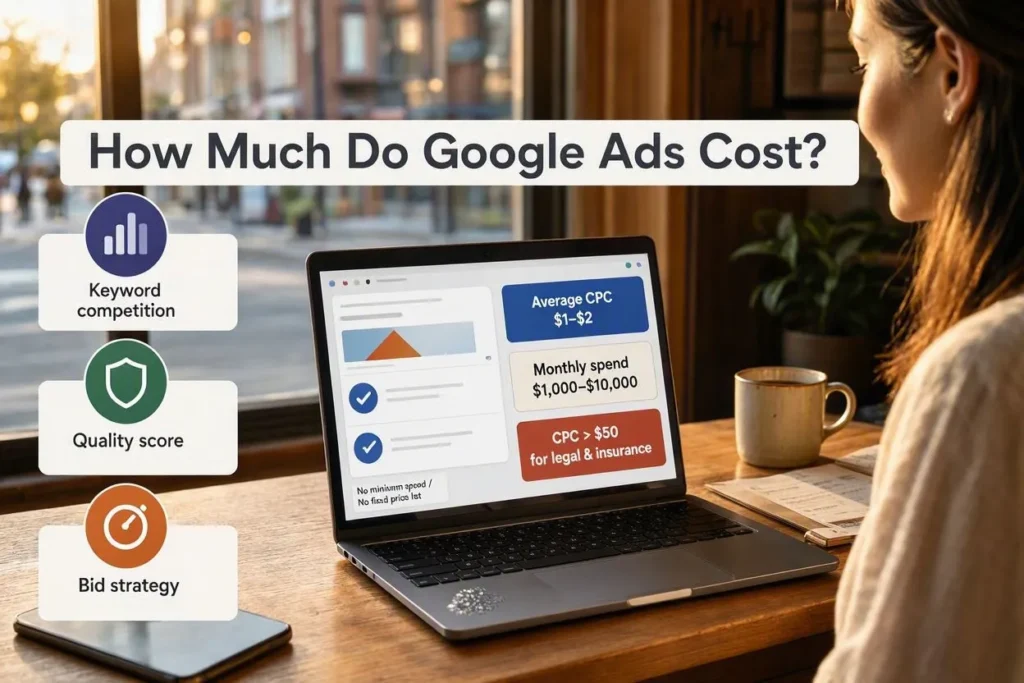
Google Ads cost, like any search engine marketing (SEM) spend, varies by industry and keyword competition, and most US small businesses spend between $1,000 and $10,000 per month, with average CPCs ranging from $1 to $2 on the Search Network and higher in competitive sectors like legal and insurance, where CPCs can exceed $50. There’s no minimum spend requirement and no fixed price list.
Three factors drive cost more than any others: keyword competition, Quality Score, and industry vertical. Legal and insurance keywords often cost $20 to $100+ per click because a single converted lead is worth thousands of dollars to those businesses. A local coffee shop bidding on “coffee shop near me,” by contrast, might pay under $1 per click.
Return on ad spend (ROAS) benchmarks published by Google put average return around $2 for every $1 spent across all campaign types, with Search-specific campaigns often reaching closer to $8 for every $1 spent when accounts are managed well.
If your daily budget is $50 and your average CPC sits at $2.50, expect roughly 20 clicks per day, before accounting for budget pacing adjustments Google makes throughout the day.
How Do You Set Up a Google Ads Campaign?
To set up a Google Ads campaign, create a Google Ads account, choose a campaign goal, select a campaign type, define your budget and bidding strategy, build ad groups around related keywords, write ad copy, and launch after linking conversion tracking. Skipping conversion tracking before launch is the single most common SEM setup mistake.
Follow these steps in order:
- Create an account at ads.google.com and link Google Analytics
- Choose a campaign goal: sales, leads, website traffic, or awareness
- Select the campaign type that matches that goal
- Set a daily or monthly budget and pick a bidding strategy
- Group keywords into tightly themed ad groups, ideally 5 to 15 keywords each
- Write two or three ad variations per ad group to let Google test performance
- Add ad extensions: sitelinks, callouts, and location information
- Set up conversion tracking before spending a single dollar
- Launch and review performance after the first 7 to 10 days
Most new advertisers see Google Ads recommend a starting budget based on comparable businesses in the same industry, which serves as a reasonable benchmark rather than a fixed rule.
How Does Google Ads Track Conversions?
Google Ads tracks conversions by placing a tracking tag or snippet on your website, app, or phone system, then recording a conversion each time a defined action, a purchase, form submission, or call, happens after someone clicks your ad. Without this tag installed correctly, Google has no reliable data to optimize bids against.
Conversion tracking methods include:
- Website tag tracking using the Google tag on thank-you or confirmation pages
- Enhanced conversions that use hashed first-party customer data to improve match accuracy after cookie restrictions tightened
- Import tracking that pulls offline sales or CRM data back into Google Ads
- Call tracking that logs phone calls generated directly from ads
Third-party cookie limits reduced match rates in standard conversion reporting, which pushed enhanced conversions and first-party data matching into standard practice across search engine marketing accounts. A PPC account that switched from cookie-only tracking to enhanced conversions with hashed email data typically recovers 10% to 30% of previously unmatched conversions in its campaign reporting.
Google Ads vs. Google AdWords: What Actually Changed?
Google Ads and Google AdWords are the same platform under two different names, and nothing about the underlying auction changed when Google renamed it in July 2018. The rebrand consolidated AdWords, DoubleClick, and Google Analytics under a single “Google Ads” and “Google Marketing Platform” structure.
Advertisers who learned the platform under the AdWords name won’t find the auction, Ad Rank, or Quality Score mechanics any different today. What changed is scope: Google Ads now includes campaign types, like Performance Max and Demand Gen, that didn’t exist when the AdWords name was still in use, along with AI-driven bidding that automated tasks marketers once handled manually.
Google AdSense is a separate, unrelated product. AdSense lets website owners earn money by hosting ads, while Google Ads lets businesses pay to place those ads. Confusing the two remains one of the most common beginner mistakes.
5 Common Mistakes That Waste Google Ads Budget
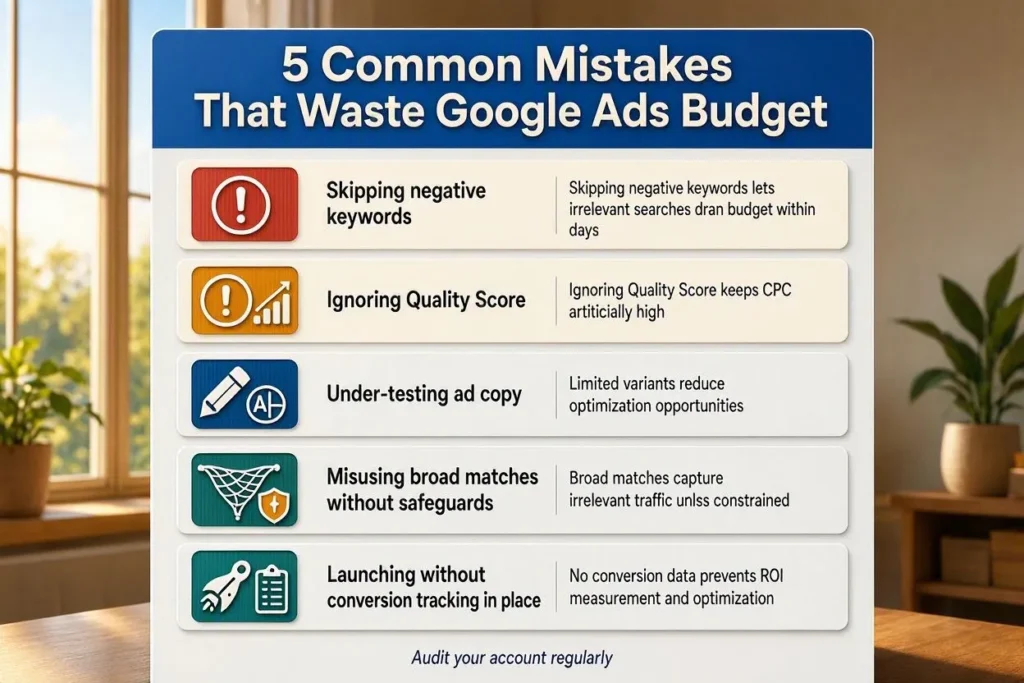
The most common Google Ads mistakes involve skipping negative keywords, ignoring Quality Score, under-testing ad copy, misusing broad matches without safeguards, and launching without conversion tracking in place. Each one compounds over time, turning a manageable budget leak into a significant loss.
- Skipping negative keywords lets irrelevant searches drain budget within days
- Ignoring Quality Score keeps CPC artificially high even when the budget increases
- Under-testing ad copy means Google never learns which message actually converts
- Misusing broad match without audience or bid safeguards invites clicks with no buying intent
- Launching without conversion tracking leaves Smart Bidding with no data to optimize toward, so automated bidding underperforms for weeks
A software company that launched a broad match campaign without negative keywords burned through a $3,000 monthly budget on searches for unrelated free tools within the first ten days, a pattern that shows up repeatedly across new accounts with no safeguards in place.
Conclusion
Google Ads work through one continuous search engine marketing (SEM) cycle: an auction ranks eligible ads using bid and Quality Score, the winning ads display across Search, YouTube, Display, or Shopping surfaces, and the resulting click or conversion data feeds back into the system to sharpen the next auction. Advertisers who understand each stage of this paid search process, the auction, Ad Rank, bidding strategy, and conversion tracking, spend less per result than those who treat the platform as a black box. The businesses that grow fastest with Google Ads are the ones that fix Quality Score and negative keywords before they touch their SEM budget cap.