
Fix broken links by figuring out what kind of error you’re dealing with, then applying a 301 redirect, swapping in a working URL, or just removing the link. In SEO terms, a broken link sends visitors and search engine crawlers to a page that no longer loads, usually with a 404 (Not Found) error, and that failure disrupts crawlability, indexing, and the ranking signals your site depends on. Recent site-health audits from SEO tools like Semrush regularly list broken links among the most common technical SEO issues they find. This guide covers detection, fixes for internal and external links, platform-specific workflows, enterprise-scale SEO processes, and how to stop link rot from creeping back into your search rankings.
What Is a Broken Link (and Why Search Engines Care)
404 is the error code every SEO knows, but three others show up just as often during a technical SEO audit:
- 404 (Not Found): the page doesn’t exist at that URL anymore
- 410 (Gone): the page was intentionally and permanently removed
- 400 (Bad Request): the URL itself is malformed or has invalid characters
- 502 (Bad Gateway): the server got an invalid response from another server
Say a retailer deletes a discontinued product page without redirecting it. Every internal link pointing there now 404s, and that broken internal link chain starts eroding crawl efficiency and search rankings for the pages around it. Internal links point to pages on the same domain, where you control the fix directly; external links point off-site, and those break for reasons entirely outside your control: a vendor shuts down, restructures their URLs, or just pulls an article offline.
Why Do Broken Links Matter for SEO?
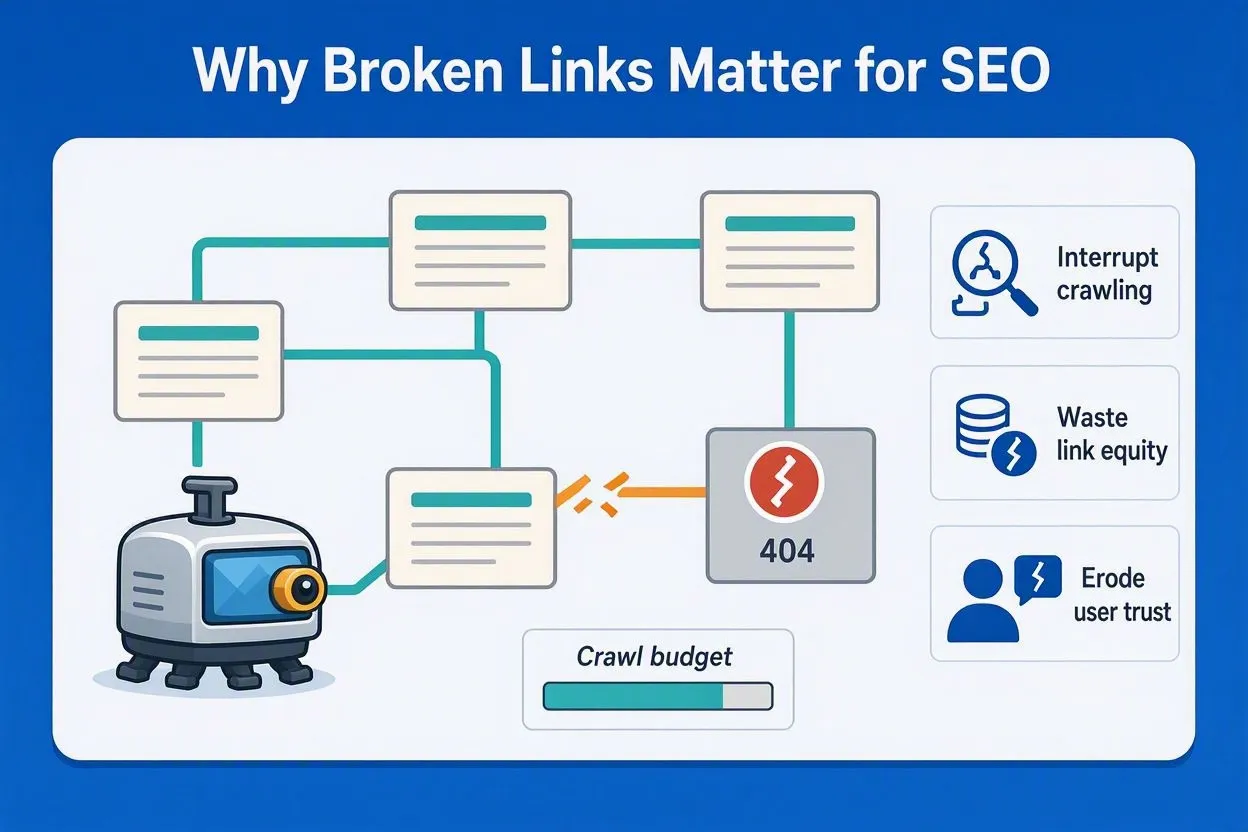
They interrupt crawling, waste link equity, and erode user trust, three ranking factors search engines weigh directly when they evaluate your site’s SEO health. Google’s crawlers follow links to discover, crawl, and index content, so a dead end stops that indexing pipeline in its tracks and can suppress organic search visibility for the surrounding pages.
Crawl budget
This is the number of pages a search engine bot will crawl on your site within a given timeframe, a core technical SEO metric for large domains. Every broken link it hits burns part of that crawl budget on an error page instead of one that could actually get indexed and start ranking. Sites with 10,000+ pages feel this the most in their SEO performance; bots often stop crawling deeper sections once they hit a pattern of dead ends.
Link equity
Also called “link juice” in SEO circles, this is the ranking value a hyperlink passes from one page to another. A broken internal link kills that transfer outright, and a broken backlink pointing to a page you deleted does the same thing in reverse, quietly bleeding away off-page SEO authority. Redirecting a dead page that had a high-authority backlink pointing at it can recover ranking signals and organic search equity that took months of link-building to earn the first time around.
User experience (and its SEO ripple effects)
A visitor clicks a broken link and lands on an error page instead of the content they wanted. Bounce rates climb fast when that keeps happening, which search engines increasingly factor into how they assess page quality and user satisfaction signals. Repeat visitors also start associating your brand with poor upkeep. Support ticket volume is often where this shows up first: after a site migration, users who can’t find a documentation page they used to bookmark will file a ticket instead of digging for it themselves.
How to Find Broken Links Before Fixing Them
Detection has to come before repair. Fixing links blind wastes time on pages that might not even need attention, and a proper technical SEO audit always starts with a full crawl report.
Google Search Console
Reports pages Googlebot already tried to crawl and failed on, making it one of the most direct SEO diagnostics available for free. Go to Indexing, then Pages, then filter by “Not found (404).” The catch: this only shows errors Googlebot has already run into, so it’ll miss broken links on newer pages Google hasn’t crawled yet.
Site crawlers and SEO platforms
Tools like Screaming Frog, Ahrefs Site Audit, and Semrush Site Audit crawl a whole domain and flag every internal and external link returning an error code, alongside other technical SEO issues like duplicate meta tags or missing canonical URLs. Screaming Frog’s free tier caps out at a set number of URLs per crawl (check their current pricing page for the exact limit), which is usually enough for a small business site in one pass. Bigger sites need a paid crawler, since free tools cap out fast once you’re past a few thousand pages.
Browser extensions and manual checks
Something like Broken Link Checker scans a single page as you browse, flagging dead links in real time. Good for spot-checking an article before it publishes, not for full-site audits. Manual click-throughs are really only useful for confirming a fix worked after deployment.
How to Fix Broken Internal Links
You have three options here: redirect, update, or remove, depending on whether a suitable replacement page exists. Internal links give you full control since the destination sits on your own domain.
Set up a 301 redirect
A 301 redirect is the standard SEO fix for a permanently moved page: it forwards traffic and search engine crawlers from an old URL to a new one while passing along most of the original page’s link equity and ranking signals. Use this when a page moved or its content got merged into another page as part of a content consolidation strategy. Most CMS platforms include a redirect manager built for exactly this kind of SEO maintenance, so you don’t have to touch server configuration files directly. On self-hosted setups, the redirect rule itself is a short server-side instruction (an Apache rewrite rule or an Nginx return statement, for example) that a developer or SEO technical lead can add in a few minutes.
Update the link to a working URL
This means editing the anchor’s href to point straight at the right destination, skipping the redirect hop entirely, which keeps your internal linking structure clean for both crawlers and users. If a redirect already exists but nobody’s cleaned up the source link, updating it directly shaves off a server request and speeds up load time slightly, a minor but real page experience signal. A blog with 200 posts linking to an old pricing page benefits from a bulk find-and-replace across the content database rather than fixing each post by hand.
Remove the link
Do this when there’s no replacement page and the content is gone for good. Keep the surrounding text if it still reads fine without the link; cut the whole sentence if it depended on that link to make sense. A 2019 case study cited in an old post can lose its link but keep its sentence, since the statistic still supports the page’s topical relevance even without a clickable source.
How to Fix Broken External Links
Replace the link with a working equivalent, check the Wayback Machine for an archived version, or delete it if nothing else works. External links point off-domain, so you lose SEO control the moment another site restructures, but they still affect how trustworthy and authoritative your page looks to both readers and search engines.
Replace with a working source
Search for the same resource on a different, live URL when the original site relocated content without redirecting it. A marketing blog citing an old Moz statistics page can usually find the updated version by searching the publication’s site directly. Only replace when the topic and intent line up closely with the original, since citing authoritative, relevant sources is itself a page-quality signal search engines take into account. Swapping in something loosely related does more damage to your credibility than just removing the link.
Use the Wayback Machine
The Internet Archive (web.archive.org) stores historical snapshots of most public pages, so you can pull up content that no longer exists at its live URL. If the original page had unique data you can’t find anywhere else, link the archived snapshot instead of the dead one. This works especially well for government reports or research papers that vanish during agency site redesigns.
Remove the link entirely
Honestly, this is the fix most people end up using, since finding a true equivalent takes more time than most editorial workflows allow. Delete the link, keep the sentence if it doesn’t lean on the source for credibility, and cut the whole passage if it directly quotes or relies on data from the missing page.
Fixing Broken Links for SEO in WordPress
Install a redirect management plugin, scan your content with a link checker, and update URLs directly in the block editor as part of your regular on-page SEO maintenance. WordPress powers a bit over 40% of all websites as of mid-2026, according to W3Techs, so a no-code SEO fix path matters for a large share of site owners managing their own search rankings.
- Install an SEO-focused plugin such as Redirection or Broken Link Checker from the WordPress plugin directory
- Run a full scan to generate a list of every broken URL across posts, pages, and widgets
- Set up 301 redirects inside the plugin interface to preserve link equity, no server access required
- Edit individual posts in the block editor to update anchor text pointing to outdated URLs
- Re-scan after publishing to confirm the fixes registered and search engines can recrawl cleanly
The Redirection plugin specifically can log every 404 hit automatically, which turns broken-link discovery into an ongoing part of your site’s SEO monitoring instead of something you have to remember to run.
Enterprise Technical SEO: Fixing Broken Links at Scale
Run automated crawls across the full domain, then batch-update URLs through an SEO platform instead of touching pages one at a time. Sites with millions of indexed pages, the kind enterprise SEO platforms like SEOClarity or Botify are built to crawl, simply can’t rely on manual checks or one-off plugin fixes; the numbers are too big for anyone to click through by hand.
Schedule recurring SEO crawls (daily, weekly, or monthly, depending on how often content changes) and filter the results by HTTP status code so 404s don’t get lumped in with redirect chains and server errors. From there, group the broken links by originating page so the high-traffic, high-ranking sources get fixed first, and push the redirect rules through the CMS or a dedicated link-management tool rather than routing every fix through a developer queue. Done this way, a batch job can clear thousands of broken internal links and restore lost link equity in one pass, work that used to take a development team weeks.
Technical SEO Elements Beyond Standard Hyperlinks
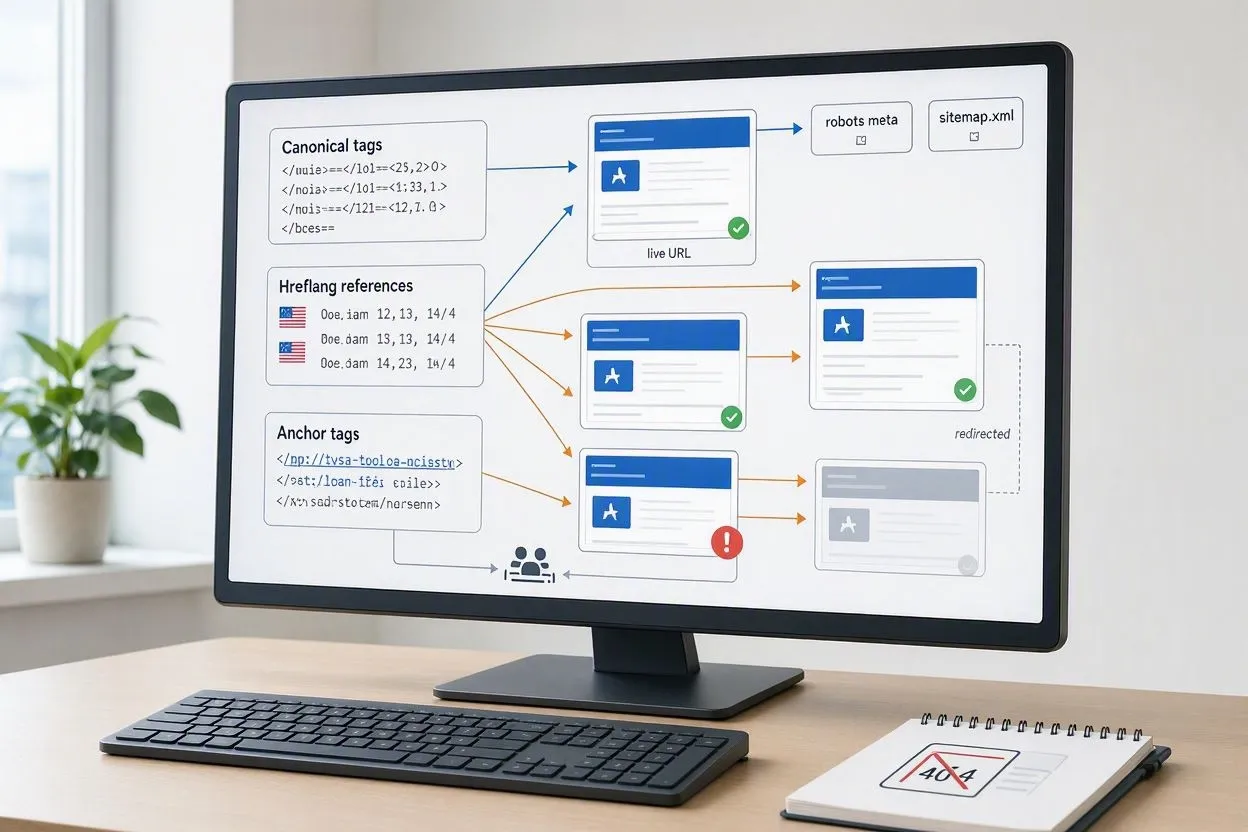
Anchor tags aren’t the only place a URL reference can break, and these spots get missed constantly during a routine SEO check.
Canonical tags
Pointing to a deleted or redirected URL, these confuse search engines about which version of a page should rank. Check them during every crawl and point them at the current live URL, not whatever’s still sitting in the page’s HTML head.
Hreflang references
These tell search engines which language or regional version of a page to serve. A broken one, pointing to a URL that 404s, can cause the wrong regional page to rank for international audiences. Sites with three or more language versions should audit hreflang links on their own schedule, separate from the standard crawl.
Sitemap URLs
Ones that no longer resolve waste crawl requests on dead pages. Regenerate your sitemap after every content deletion or URL change, and resubmit it through Search Console right away.
How Broken Links Affect AI Search Visibility
None of this matters only to Googlebot anymore. LLM crawlers behave a lot like traditional search bots: they abandon pages that dead-end during content retrieval. Tools like ChatGPT, Perplexity, and Google’s AI Overviews pull source material by crawling and citing live pages, so a broken link in that citation chain breaks retrieval the same way it breaks a Google crawl.
If a publisher’s “best practices” guide gets cited in an AI Overview and that page later 404s without a redirect, the citation just disappears. Keeping links working protects visibility across both traditional rankings and the newer AI-driven answer engines pulling from the same web content.
How to Prevent Broken Links From Hurting Your SEO Again

Add redirects before deleting content, test new links before publishing, and stick to stable URL structures that rarely need to change, all standard practice in a mature technical SEO workflow. Prevention is a lot cheaper than repeated cleanup, especially for sites publishing weekly and trying to protect existing search rankings.
- Add a 301 redirect the moment a page gets deleted or moved, not after the fact
- Test every outbound link before hitting publish
- Choose descriptive, permanent-feeling URL slugs that won’t need restructuring later
- Run a full site crawl monthly, or weekly on sites publishing 20+ posts a month
- Set up automated 404 monitoring through Search Console or a CMS plugin
A team that builds redirect checks into its pre-launch checklist catches most broken links before they ever go live, which cuts post-publication cleanup down considerably.
Conclusion
Redirect, update, or remove: that’s the whole SEO toolkit for broken links. The sites that stay ahead of link rot treat it as a routine part of technical SEO, not a one-off cleanup project, and the next scheduled crawl is what decides whether your search rankings hold.