
Most people type a question into an AI tool and hope for the best. The output is vague, off-topic, or just plain wrong. The problem is not the AI — it is the prompt.
AI prompt engineering is the skill of writing instructions that get large language models (LLMs) to produce accurate, useful, and specific outputs. In 2026, this skill separates people who get real work done with AI from people who waste an hour reformatting bad responses.
This guide covers 9 proven techniques, real prompt examples, copy-paste templates, and the 6 mistakes that silently kill your results.
What Is AI Prompt Engineering?
Prompt engineering is the practice of designing inputs for AI models to control what the model generates. A prompt is any text you send to an LLM — a question, an instruction, or a multi-step task. How you write that text directly determines the quality of what comes back.
Natural language processing (NLP) powers every LLM, including ChatGPT, Claude, and Gemini. These models do not think. They predict the most statistically likely next token based on patterns from billions of training examples. A well-structured prompt activates better patterns. A vague prompt activates noise.
Three factors decide output quality:
- Clarity — the model knows exactly what you want
- Context — the model has the background information it needs
- Format — the model knows how to structure the response
Miss any one of these and the output suffers.
9 AI Prompt Engineering Techniques
1. Zero-Shot Prompting
Zero-shot prompting sends a direct instruction with no examples. You rely entirely on what the model already knows from training.
Works best for: translation, summarization, simple Q&A, basic writing tasks.
Example:
Summarize this paragraph in 2 sentences: [paste paragraph]
Zero-shot is the starting point. Use it for straightforward tasks. For anything complex, move to the next technique.
2. Few-Shot Prompting
Few-shot prompting gives the model 2 to 5 examples of the input-output pattern you want before asking your actual question. The model learns your format, tone, and expectation from those examples.
Works best for: classification, content in a specific style, structured data extraction.
Example:
Classify the sentiment of each sentence.
“The product broke after one day.” → Negative “Shipping was faster than expected.” → Positive “The interface takes getting used to.” → [model answers here]
Use 3 examples as a default starting point. The more consistent your examples, the more consistent the output.
3. Chain-of-Thought (CoT) Prompting
Chain-of-thought (CoT) prompting tells the model to reason through a problem step by step before giving a final answer. This technique improves accuracy on math problems, logic tasks, and multi-step decisions.
Adding “Let’s think step by step” to any prompt activates CoT behavior in most modern LLMs.
Example:
A store sells 3 items. Item A costs $12, Item B costs $8, Item C costs $15. A customer buys 2 of Item A and 1 of Item C. What is the total? Let’s think step by step.
Without CoT, models frequently give wrong answers on arithmetic. With CoT, accuracy increases by up to 40% on complex reasoning tasks.
4. Role Prompting
Role prompting assigns the model a specific identity before the task begins. The assigned role shifts the model’s vocabulary, tone, and depth of response.
Works best for: expert advice, content creation, customer service scripts, technical explanations.
Example:
You are a senior cybersecurity analyst with 15 years of experience. Explain SQL injection to a non-technical CEO in plain English. Keep it under 150 words.
The same question without a role produces a Wikipedia-style answer. With a role, the model produces targeted, audience-aware content.
5. System Prompt Design
A system prompt is a background instruction that shapes how the model behaves across an entire conversation. System prompts define the model’s persona, rules, and output format before any user message arrives.
Example system prompt:
You are a concise technical writer. Always respond in plain English. Use bullet points for lists. Never exceed 200 words per response. If asked something outside your scope, say “I don’t cover that.”
Every serious AI user in 2026 should have at least 3 system prompts saved for their most common tasks.
6. Prompt Chaining
Prompt chaining breaks a complex task into a sequence of smaller prompts, where each output feeds into the next prompt as input. This technique produces far better results than one massive prompt.
Chain example for writing an article:
- Prompt 1: “Generate 10 article headline ideas for [topic].”
- Prompt 2: “Take headline 3. Create a full outline with 6 H2 sections.”
- Prompt 3: “Write Section 1 of the outline in 300 words, tone: conversational.”
- Prompt 4: “Edit Section 1 for grammar and cut any sentences over 20 words.”
Each step is manageable. The final output is controlled and high quality.
7. Tree of Thoughts (ToT)
Tree of Thoughts (ToT) prompting asks the model to generate multiple reasoning paths simultaneously, then evaluate which path leads to the best answer.
Works best for: strategic decisions, complex problem solving, creative brainstorming.
Example:
I need to increase organic traffic to my website. Generate 3 completely different strategies. For each strategy, explain the reasoning, the risks, and the expected timeline. Then recommend which one to start with and why.
ToT forces the model to think wider before narrowing down. Output quality on strategic tasks is noticeably higher than single-path prompting.
8. Retrieval-Augmented Generation (RAG) Prompting
Retrieval-augmented generation (RAG) prompting combines an LLM with an external knowledge source, allowing the model to answer questions using documents or data it was not trained on.
Example:
Below is a 2026 Q1 financial report. Answer only using information from this document. Do not use outside knowledge. Question: What was the revenue growth percentage compared to Q4 2025? [paste document]
RAG-style prompting keeps the model grounded in your actual data and reduces hallucinations significantly.
9. Context Engineering (The 2026 Method)
Context engineering is the practice of deliberately managing everything inside the model’s context window — instructions, documents, conversation history, and memory — to produce better outputs.
In 2026, top AI users think beyond single prompts. They manage context like a resource. 4 things to include in your context window:
- Role and rules — who the model is and what it cannot do
- Reference material — documents and data relevant to the task
- Prior decisions — outputs from earlier in the workflow
- Output format — exact structure shown as an example
Context engineering separates basic prompt users from professionals in 2026
Why Your Prompts Fail (And What to Fix)
Most prompts fail because they give the model too little information or too much freedom. Here are the 4 most common reasons:
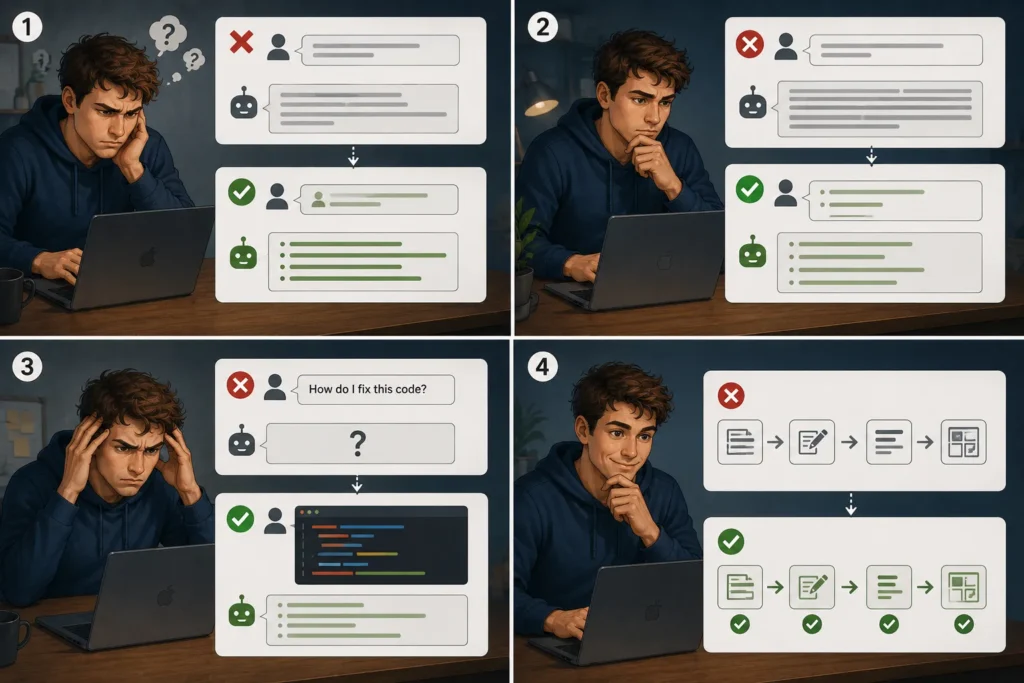
No role defined. “Write a blog post about marketing” gives the model zero direction. Adding “You are a senior content strategist writing for B2B SaaS founders” fixes this immediately.
No format specified. If you want bullet points, say so. If you want 300 words, say 300 words. LLMs default to paragraph format at whatever length feels natural to the model — not to you.
No context included. Asking “How do I fix this code?” without pasting the code is useless. Every relevant detail you leave out forces the model to guess.
Single-step thinking. Complex tasks need broken-down instructions. Asking an LLM to write, edit, and format a 1,500-word article in one prompt produces average results. Breaking the task into steps produces professional ones.
Ready-to-Use Prompt Templates (Copy-Paste)
These 6 templates work across ChatGPT, Claude, and Gemini.
Blog post intro:
Write an introduction for a blog post titled “[title]”. Target audience: [describe audience]. Tone: conversational but authoritative. Length: 100 words. Do not start with a question or a statistic.
Email subject lines:
Generate 10 email subject lines for a campaign about [topic]. Target: US professionals aged 30–45. Each subject line must be under 50 characters. No emojis. Focus on curiosity and specificity.
Data summary:
Summarize the following data in plain English. Highlight the 3 most important trends. Use bullet points. Avoid technical jargon. Audience: non-technical business executives. [paste data]
SEO meta description:
Write a meta description for a page titled “[page title]”. Target keyword: [keyword]. Length: 150–160 characters. Include a clear benefit and a soft call to action.
Customer support reply:
You are a customer support agent for [company name]. Reply to this complaint professionally and empathetically. Offer a solution. Keep the reply under 100 words. Complaint: [paste complaint]
Code explanation:
Explain what this code does in plain English. Assume the reader is a product manager with no coding background. Be specific about what each block does. [paste code]
Prompt Engineering for ChatGPT vs Claude vs Gemini
Each model responds differently to the same prompt.
ChatGPT (GPT-4o) handles code generation and data analysis better than most models. Adding “think step by step” consistently improves GPT-4o answers on complex tasks. GPT-4o follows role prompts precisely when the role is defined in detail.
Claude produces the most natural-sounding long-form text. Claude performs well when given a clear persona and specific format instructions. Claude is particularly strong at editing, summarizing dense documents, and maintaining consistent tone across long outputs.
Gemini 2.0 excels at tasks requiring real-time information and Google product integration. Gemini handles multimodal prompts — text combined with images or documents — with stronger accuracy than earlier versions.
Use the right model for the right task rather than defaulting to one model for everything.
6 Prompt Mistakes That Ruin Your Results

- Vague action verbs. “Write something about X” produces generic output. “Write a 200-word product description targeting first-time buyers” produces usable output.
- Forgetting to define the audience. Tell the model who the reader is or the model invents one.
- One massive prompt for a complex task. Break tasks into chains. One prompt, one job.
- Not specifying output format. Always state: bullet points or paragraphs, word count, heading structure.
- Ignoring temperature settings. Low temperature (0.2–0.4) produces precise, factual responses. High temperature (0.8–1.0) produces creative, varied responses. Match temperature to your task.
- Accepting the first output. Most strong outputs require 2 to 3 iterations. Adjust one variable per iteration.
Is Prompt Engineering a Career in 2026?
Yes — US salaries range from $85,000 to $165,000 per year depending on specialization and industry.
Entry-level prompt engineers earn $85,000–$105,000 annually. Senior prompt engineers working on enterprise AI systems earn $130,000–$165,000. Freelance prompt engineers charge $75–$200 per hour for specialized work in legal, medical, and finance sectors.
3 skills that increase prompt engineering salary fastest:
- Python basics for API-level prompt work
- Understanding of LLM token limits and context windows
- Domain expertise in law, medicine, or finance
Conclusion
Prompt engineering is the most practical AI skill you can build in 2026. Every technique in this guide — from zero-shot prompting to context engineering — costs nothing to use and works across every major AI model available today.
The difference between weak AI output and strong AI output comes down to 3 things: clarity, context, and format. Get all 3 right and the model delivers. Miss even one and the output requires heavy editing or a complete redo.
Start with the technique that fits your most common task. Use role prompting for content creation. Use chain-of-thought for complex decisions. Use RAG prompting when working with your own documents. Build from there.
Prompt engineering is not a fixed skill — it evolves as models improve. Context engineering is already replacing basic prompting at the professional level. AI agents and multimodal prompting are the next frontier. The people who stay ahead are the ones who treat every AI interaction as a learning opportunity.
The 9 techniques in this guide give you a complete foundation. Apply them consistently, iterate on your prompts, and the quality of your AI output will improve faster than you expect.