A technical SEO tool crawls a website the way a search engine does, then flags the code-level and infrastructure problems stopping pages from ranking broken links, slow load times, blocked crawlers, missing schema, and duplicate content among them. Picking the right one depends on site size, budget, and whether daily work happens inside WordPress or across a custom-built platform. This guide compares the strongest options across every major category, including two areas most roundups skip entirely: log file analysis and AI crawler visibility.
How Does a Technical SEO Tool Work?
A technical SEO tool works by crawling a site’s pages the same way Googlebot does, then comparing what it finds against a checklist of known ranking blockers. Here is the 4-step process most tools follow:
- Crawl input — Enter a domain, and the tool starts requesting every discoverable URL, following internal links the way a search engine crawler would.
- Rendering and analysis — The tool loads each page’s HyperText Markup Language (HTML), executes JavaScript where needed, and checks page speed, metadata, structured data, and link status.
- Issue classification — Findings get sorted into severity tiers, typically labelled ‘critical’, ‘warning’, and ‘notice’, so the biggest problems surface first.
- Reporting and export — Results appear as a dashboard, a downloadable file, or both, often with a plain-language explanation of why each issue matters.
Most tools also track changes over time, comparing one crawl against the last to show whether a site’s technical health is improving or declining month over month.
5 Things to Look for Before You Buy
Not every technical SEO tool earns its subscription cost. Before spending $50 to $500 a month, evaluate each option against these 5 criteria:
- Crawl accuracy and JavaScript rendering. A tool that can’t render JavaScript will miss issues on any React, Vue, or Angular-built site, producing an incomplete picture of what Googlebot actually sees.
- Issue explanation quality. A long list of errors helps nobody without plain-language context. The best tools explain why an issue matters and roughly how to fix it, not just that it exists.
- Scalability across site sizes. Some tools crawl 500 URLs comfortably but choke past 10,000; confirm a tool’s stated crawl limits match your actual site size before committing to a plan.
- Reporting and export flexibility. Agencies and in-house teams both need to hand data to developers or clients; check whether a tool exports to CSV, PDF, or a shareable dashboard link.
- Coverage beyond the basics. International SEO, log file analysis, and AI crawler visibility increasingly separate a genuinely complete toolset from a tool that only checks the fundamentals.
The 10 Best Technical SEO Tools in 2026
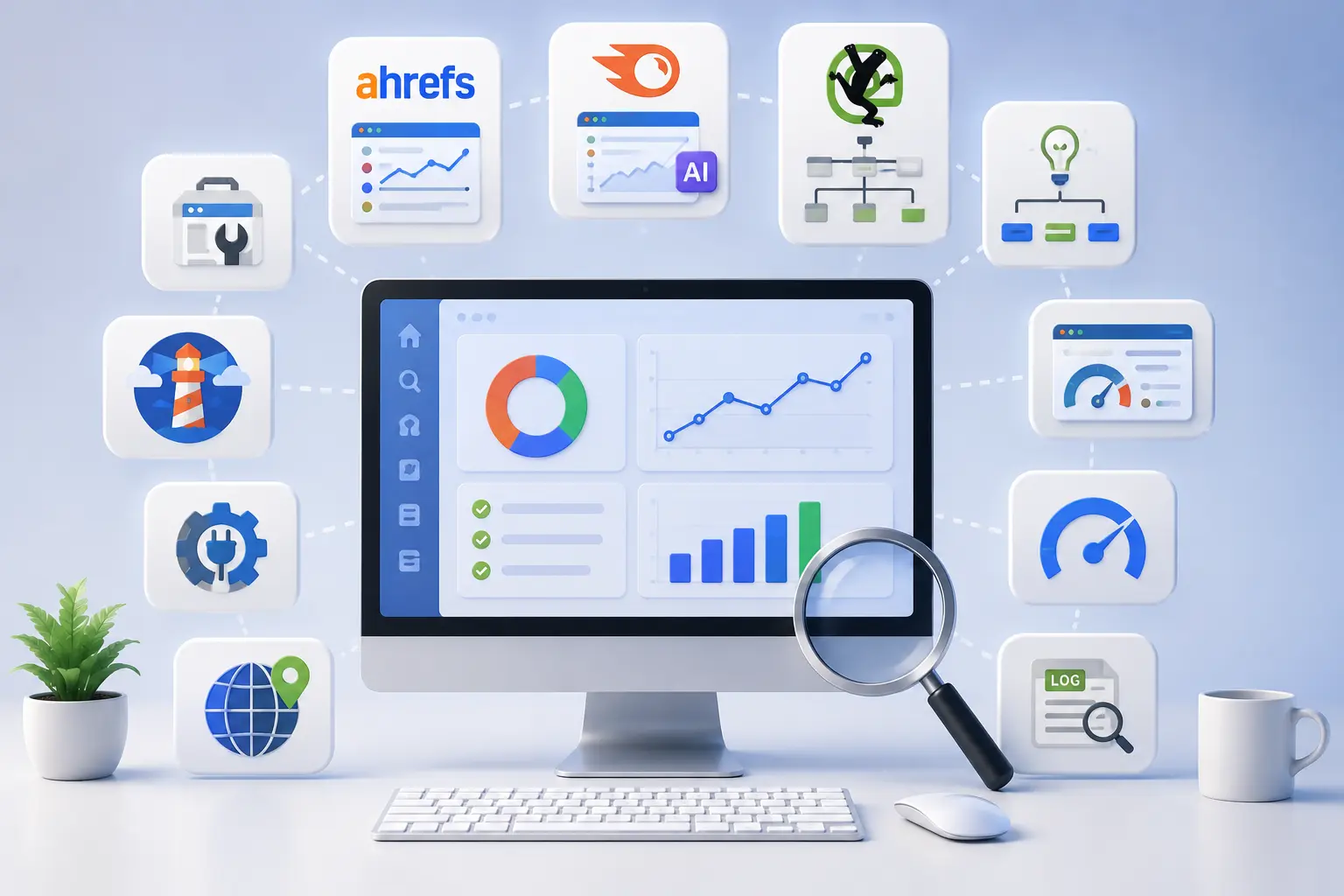
Quick Comparison Table
| Tool | Best For | Starting Price | Free Version |
|---|---|---|---|
| Ahrefs Site Audit | All-in-one crawling and issue prioritization | $108/month | Yes, via Ahrefs Free |
| Semrush Site Audit | AI-readiness and crawl-health monitoring | $139.95/month | Limited scans |
| Screaming Frog SEO Spider | One-off desktop audits | $279/year | Yes, 500 URLs |
| Sitebulb | Visual crawl maps and client reports | $180/year | 14-day trial |
| Google Search Console | First-party crawl and index data | Free | Full access |
| Google Lighthouse | Fast, single-page health checks | Free | Full access |
| PageSpeed Insights | Real-world Core Web Vitals data | Free | Full access |
| AIOSEO | WordPress technical SEO management | $49.60/month | Free Lite version |
| TechnicalSEO.com Tools | International SEO and hreflang checks | Free | Full access |
| Screaming Frog Log File Analyser | Log file analysis | $115/year | Yes, 1,000 log lines |
1. Ahrefs Site Audit — Best for All-in-One Crawling
Ahrefs Site Audit scans for more than 170 SEO issues grouped across 19 categories, from slow pages and Core Web Vitals failures to broken structured data and duplicate content. The crawler executes JavaScript directly, so single-page applications get evaluated the way Googlebot actually renders them.
3 key features:
- Crawls up to 170,000 URLs per minute, with issues segmented into errors, warnings, and notices for fast triage
- A hreflang network graph visualizes international tagging errors across an entire site at once
- Patches, a feature that deploys certain fixes live from the audit results without developer involvement
Pricing: From $108/month (Lite plan, 5 projects).
Best for: Agencies and in-house teams running ongoing technical monitoring alongside keyword and backlink tracking.
Limitation: Pricing climbs quickly past the entry tier, and full crawl history requires a higher-tier plan.
2. Semrush Site Audit — Best for AI Readiness Checks
Semrush pairs its crawler with an AI Search Site Health check, flagging whether AI crawlers, including those from ChatGPT and Perplexity, can access and cite a site’s content. Position tracking extends across Google, Bing, Baidu, and AI Mode simultaneously, giving one dashboard for both traditional and AI-driven visibility. This matters increasingly in 2026, since a growing share of buyer research now happens inside an AI chat interface rather than a traditional search results page, and a site invisible to AI crawlers loses that traffic silently, with no error message pointing to the cause.
3 key features:
- Health Score gives an at-a-glance snapshot of overall technical severity
- Crawl Depth Reports surface orphan pages with no internal links pointing to them
- Error Prioritization sorts findings into critical, warning, and notice tiers automatically
Pricing: From $139.95/month (Pro plan, 5 projects).
Best for: Teams wanting AI-crawler visibility checks alongside traditional technical auditing in one platform.
Limitation: The interface covers close to 50 sub-sections, creating a steep learning curve for a first-time user.
3. Screaming Frog SEO Spider — Best for One-Off Desktop Audits
Screaming Frog remains the standard desktop crawler for agencies running an audit before a client engagement begins. It scans every page, image, and line of code on a site, surfacing broken links, redirect chains, and duplicate metadata within minutes.
3 key features:
- Custom filters and exportable reports built for developer handoff
- JavaScript rendering support for single-page applications and large eCommerce sites
- Built-in XML sitemap generation directly from crawl data
Pricing: The Free version crawls up to 500 URLs; the paid licence runs $279/year per user.
Best for: Freelancers and agencies needing flexible, per-project audits rather than a recurring subscription.
Limitation: The interface looks dated, and each team member needs a separate paid licence.
4. Sitebulb — Best for Visual Crawl Maps
Sitebulb stands apart through interactive crawl maps that visualise a site’s internal linking structure, making weak or isolated pages easy to spot at a glance. Every flagged issue includes a plain-English explanation, making Sitebulb reports easier to hand to a non-technical client than raw crawl data.
3 key features:
- Interactive visual sitemaps showing how pages connect
- Plain-English “why this matters” explanation attached to every issue
- Custom audit scopes focused on a single area, including speed or internal linking alone
Pricing: From $180/year, with a 14-day free trial.
Best for: Consultants who regularly present findings to non-technical stakeholders or clients.
Limitation: Crawl speed on very large sites runs slower than Screaming Frog’s.
5. Google Search Console — Best Free First-Party Data
Google Search Console (GSC) gives direct data on how Google actually crawls and indexes a site, information no third-party crawler can fully replicate. The Pages report shows indexing status for every URL, while the Performance report reveals which queries and pages need attention.
3 key features:
- Index Coverage report flags excluded pages with the specific reason for exclusion
- Core Web Vitals and mobile usability alerts sourced directly from Google’s own data
- Free sitemap submission and indexing requests for individual URLs
Pricing: Free.
Best for: Every website, regardless of size, as a baseline layer underneath any paid tool.
Limitation: Data typically takes 24 to 48 hours to update, and the tool only covers sites the user owns or manages.
6. Google Lighthouse — Best for Fast Page Checks
Lighthouse runs directly inside Chrome DevTools, scoring a single page on performance, accessibility, SEO fundamentals, and best practices within seconds. No installation or account is required, making this the fastest option for a quick health check before a deeper audit.
3 key features:
- Performance score with specific load-time improvement suggestions
- Accessibility checks flagging contrast issues and missing alt text
- Progressive Web App and security best-practice validation
Pricing: Free.
Best for: A quick, single-page diagnostic before committing to a full-site crawl.
Limitation: Lighthouse only evaluates one page per run rather than crawling an entire site.
7. PageSpeed Insights — Best for Real-World Speed Data
PageSpeed Insights reports both lab data and real-world Chrome User Experience Report (CrUX) field data, showing how actual visitors experience a page rather than a simulated test alone. Mobile and desktop scores appear separately, since mobile performance often lags desktop on the same page.
3 key features:
- Field data pulled from real Chrome users, not just a lab simulation
- An Opportunities section ranking fixes by potential impact
- Core Web Vitals breakdown covering Largest Contentful Paint (LCP), Interaction to Next Paint (INP), and Cumulative Layout Shift (CLS)
Pricing: Free.
Best for: Diagnosing exactly why a specific page loads slowly for real visitors.
Limitation: The tool checks one URL at a time rather than an entire site in bulk.
8. AIOSEO — Best WordPress Technical SEO Plugin
AIOSEO handles sitemap generation, robots.txt editing, redirect management, and schema markup directly inside the WordPress dashboard, removing the need to touch code for most common fixes.
3 key features:
- Smart XML Sitemaps that auto-submit to Google without a separate step
- A visual Robots.txt Editor that blocks bad bots without touching server files
- Post Index Status showing which posts Google has and hasn’t indexed
Pricing: Free Lite version; paid plans start at $49.60/month.
Best for: WordPress site owners who want technical fixes managed without a developer.
Limitation: Several advanced features, including keyword rank tracking, require the higher-tier Elite plan.
9. TechnicalSEO.com Tools — Best for International SEO Checks
TechnicalSEO.com offers a free collection of purpose-built micro-tools rarely found anywhere else, including an hreflang Tags Tester, a Locale-Adaptive Tester, and a Fetch & Render tool that shows exactly what a page looks like to a specific crawler.
3 key features:
- hreflang Tags Tester validates HTML tags, HTTP headers, and XML sitemap entries together
- Fetch & Render returns source code, rendered HTML, and a screenshot for any user agent
- A Bulk AMP Validator checks up to multiple Accelerated Mobile Pages at once
Pricing: Free.
Best for: Sites targeting multiple countries or languages that need hreflang implementation verified precisely.
Limitation: No full-site crawler exists on the platform; each tool checks one page or task at a time.
10. Screaming Frog Log File Analyser — Best for Log File Analysis
Server logs record every crawler visit, revealing information no dashboard-based tool can show directly: how often Googlebot actually visits specific URLs, and which pages get ignored entirely. The Log File Analyser cross-references raw server logs against a site crawl to surface this data.
3 key features:
- Flags pages receiving zero crawler visits within a chosen date range
- Verifies bots claiming to be Googlebot against real Google Internet Protocol (IP) ranges
- Compares crawl frequency against page priority to spot wasted crawl budget
Pricing: From $115/year; the free version processes up to 1,000 log lines.
Best for: Larger sites needing to confirm how search engines actually crawl priority pages, rather than relying on a simulated audit alone.
Limitation: Requires access to raw server log files, which some hosting setups make difficult to export.
Free vs. Paid — Which One Is Right for You?
Yes, free tools cover most needs for a small site, but a paid tool becomes worthwhile once a site crosses a few thousand pages. Here is how to decide:
Use free tools if:
- The site stays under roughly 500 pages
- The budget for software sits at $0 this quarter
- Directional data works fine, rather than daily automated monitoring
3 free tools that cover the fundamentals:
- Google Search Console — first-party crawl, index, and Core Web Vitals data
- Google Lighthouse — instant single-page diagnostics inside Chrome
- Screaming Frog’s free tier — a 500-URL crawl limit, enough for most small sites
Move to a paid tool when:
- The site exceeds 1,000 pages and needs ongoing monitoring rather than one-off checks
- Client reporting requires exportable, brandable dashboards
- International SEO, log file analysis, or AI crawler visibility become genuine priorities
How to Run a Technical SEO Audit — Step by Step
To run a technical SEO audit, follow these 5 steps in order.
Step 1: Crawl the full site. Run Ahrefs, Semrush, or Screaming Frog against the entire domain rather than a sample of pages, since issues often cluster in sections a spot check would miss.
Step 2: Check Google Search Console for confirmed errors. Cross-reference crawl-tool findings against GSC’s Index Coverage report, since GSC reflects what Google has actually observed rather than a simulation.
Step 3: Test page speed on the 5 highest-traffic pages. Run PageSpeed Insights on the pages carrying the most organic traffic first, since a speed fix there produces the largest measurable impact.
Step 4: Review log files for crawl behaviour if the site exceeds 5,000 pages. Confirm Googlebot actually visits priority pages at the expected frequency, since larger sites frequently waste crawl budget on low-value URLs.
Step 5: Fix issues in priority order. Address critical errors first, including blocked pages and broken redirects, before moving to warnings such as missing alt text or thin metadata.
Checking AI Crawler Access Directly
Beyond Semrush’s built-in AI Search Site Health check, verify AI crawler access manually as a standalone step, since this remains a genuine blind spot in most standard audits. Confirm robots.txt does not block AI-specific user agents, including GPTBot, ClaudeBot, and PerplexityBot, since a blanket disallow rule written years ago for unrelated reasons can silently exclude every AI crawler by accident. Publish an llms.txt file at the root domain to declare which sections AI systems may cite, following the same syntax convention as robots.txt but aimed specifically at large language model retrieval. Neither check takes more than a few minutes, yet both remain absent from most technical SEO checklists published before 2025.
Technical SEO Tools vs. Manual Auditing

| Factor | Technical SEO Tools | Manual Auditing |
|---|---|---|
| Speed | Crawls thousands of pages in minutes | Hours to days for the same page count |
| Consistency | Applies the same checks every time | Prone to human oversight and fatigue |
| Cost | $0 to $500+ per month depending on scale | Free, but requires significant time investment |
| Depth on edge cases | Limited to what the tool checks for | Can catch context-specific issues a tool misses |
| Best use case | Ongoing monitoring across an entire site | One-time deep review of a small, critical page set |
Combining both approaches works best in practice: let a tool handle full-site scanning on a recurring schedule, then manually review the highest-priority pages a tool flags for nuance a crawler can’t judge on its own.
Conclusion
The best technical SEO tool depends on the task at hand rather than a single universal answer. Ahrefs and Semrush suit ongoing, all-in-one monitoring for teams managing multiple projects. Screaming Frog and Sitebulb suit agencies running one-off audits before a new client engagement. Google’s free tools anchor every workflow regardless of budget and newer needs, including log file analysis, hreflang verification, and AI crawler visibility, deserve dedicated tools rather than an afterthought bolted onto a standard crawl. Build a stack from 2 or 3 tools that cover monitoring, crawling, and free first-party data together, rather than searching for one tool that handles everything equally well.