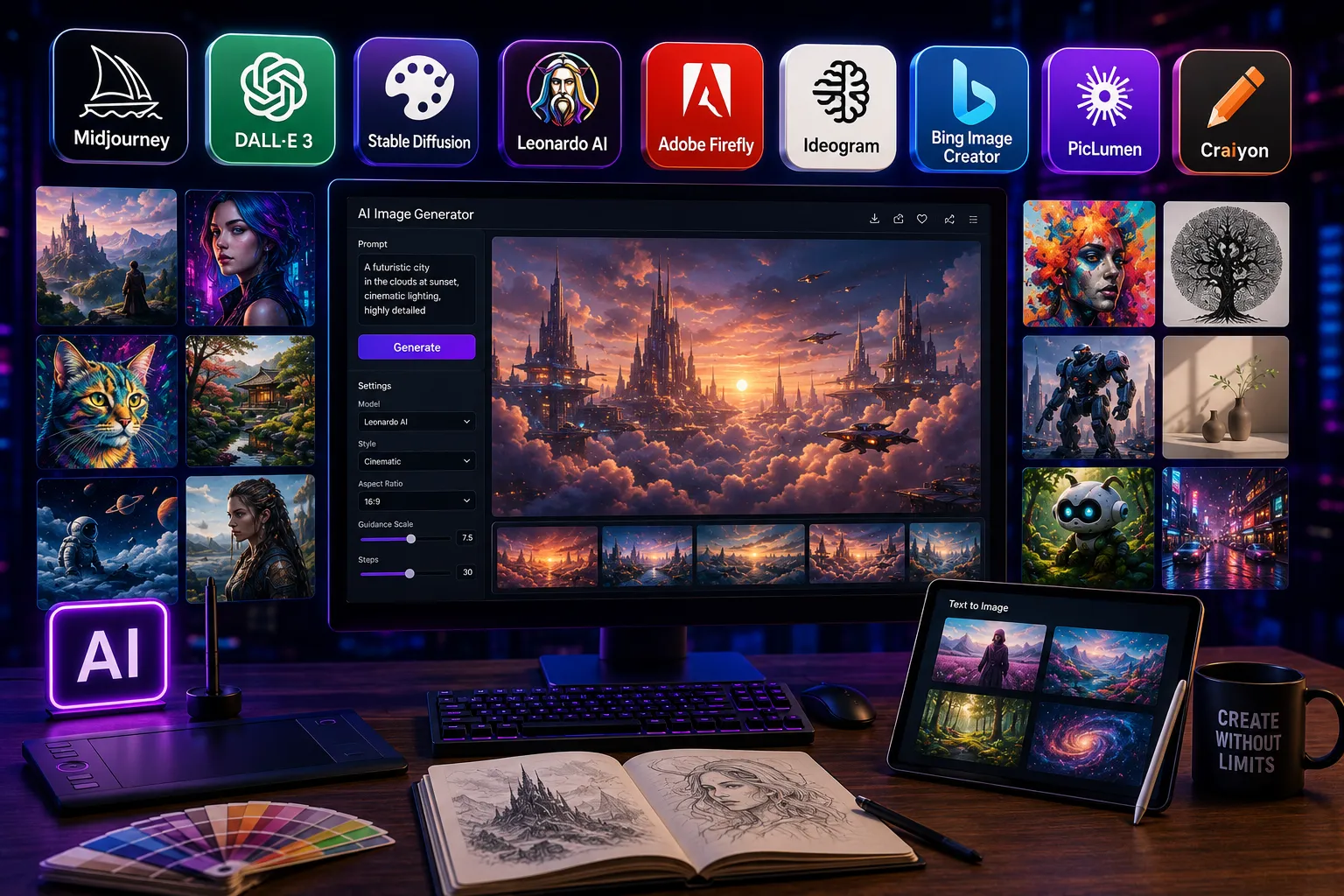
You do not need design skills to create professional visuals anymore. AI tools for image generation turn a short text description into a finished image in seconds — no Photoshop, no stock library, no designer.
But the market is crowded. Dozens of tools now promise “photorealistic results” and “unlimited creativity.” Most of them do not deliver. We tested 9 tools on 10 standardized prompts across 5 categories — portraits, product shots, social media graphics, logo concepts, and abstract art — and ranked them on 4 factors: prompt accuracy, output resolution, pricing, and commercial license clarity.
Here are the 9 best AI tools for image generation in 2026, starting with the one that outperformed every other tool in our tests.
What Are AI Tools for Image Generation?
AI image generation tools create visuals from written text prompts. You type what you want — “a modern coffee shop interior at golden hour, warm lighting, minimalist design” — and the tool produces a matching image in 5 to 30 seconds.
Every tool in this list runs on one of 4 core models: GPT Image 1.5 (OpenAI), Imagen 4 (Google), FLUX.2 (Black Forest Labs), or Midjourney V7. Some platforms build their own interface on top of these engines. Others, like Midjourney and Adobe Firefly, run proprietary models entirely.
The difference between a model and a platform matters. The same underlying engine can feel completely different depending on the interface, editing tools, and pricing structure wrapped around it. This guide covers both layers — so you know exactly what you are paying for.
How We Tested These 9 Tools
Testing ran from April to May 2026. Each tool received the same 10 prompts across 5 categories. Every output was judged on 4 criteria:

- Prompt accuracy — did the image match the written description?
- Output resolution — native pixel count before upscaling
- Text rendering — could the tool place readable words inside an image?
- Free tier generosity — how many usable images does the free plan actually give?
Pricing was verified directly from each tool’s official page in May 2026. No tool paid for placement in this list.
9 Best AI Tools for Image Generation in 2026
1. GPT Image 1.5 (ChatGPT) — Best Overall for Prompt Accuracy
Best for: Marketers, content creators, and anyone who needs reliable, instruction-following output.
GPT Image 1.5 holds an Elo score of 1,264 on the LM Arena leaderboard — the highest of any model currently available. That number comes from thousands of blind comparisons against every competing tool. In our tests, GPT Image 1.5 followed complex, multi-sentence prompts better than any other option on this list.
Text rendering is where GPT Image 1.5 stands out most. It places readable words inside images — with correct spelling, proper kerning, and font styling — reliably. Earlier AI models produced garbled letters. GPT Image 1.5 handles multi-line product labels, poster typography, and business card mockups with consistent accuracy.
The conversational editing workflow inside ChatGPT is a genuine time-saver. You ask it to “shift the subject slightly left” or “make the background darker” and it adjusts the existing composition without starting over. That cuts the trial-and-error cycle most image tools force on you.
- Price: Included in ChatGPT Plus at $20/month. API access starts at $0.04 per image.
- Resolution: Up to 1,792 × 1,024 pixels natively
- Free tier: Limited generations via free ChatGPT account
- Commercial license: Yes — outputs are yours to use commercially
Who should use it: Social media managers, ecommerce teams, and marketers who produce image-heavy content daily and need consistent results without prompt rewriting.
2. Midjourney V7 — Best for Artistic Quality and Style Consistency
Best for: Designers, photographers, and creative directors who need visuals with a distinct aesthetic.
Midjourney V7 remains the industry standard for artistic coherence. No other tool produces images that look less like “AI art” and more like professional creative work. Style consistency across multiple outputs is genuinely strong — you can lock a visual style and generate 20 variations that all look like they came from the same shoot.
Draft Mode, introduced in early 2026, generates images in 3 to 6 seconds at half the normal GPU cost. Standard mode averages 22 seconds but produces noticeably higher detail. Character consistency using the –cref reference flag works better here than on any competing platform.
The one weak point: Midjourney is terrible at placing readable text inside images. If your use case involves typography, posters, or ad creative with copy, use Ideogram or GPT Image 1.5 instead.
- Price: $10/month (Basic) to $120/month (Pro). The $30/month Standard plan covers most professionals.
- Resolution: Default 1,024 × 1,024 pixels. V7 upscaler reaches 4,096 × 4,096 (16MP).
- Free tier: No free plan currently
- Commercial license: Yes, on all paid plans
Who should use it: Creative directors, brand designers, and content creators who produce hero visuals, campaign moodboards, and editorial images where artistic quality is the priority.
3. Adobe Firefly 3 — Best for Commercial Safety and Workflow Integration
Best for: Brand teams, agencies, and any professional who needs IP-clean outputs.
Adobe Firefly is trained exclusively on licensed content. Every image it generates is safe to use in client work, advertising, and commercial campaigns — no copyright gray areas. For agency teams that ship work to clients, that legal clarity is worth the subscription cost alone.
Firefly integrates directly inside Photoshop via Generative Fill. You select a region, describe what you want, and Firefly fills it in. This makes Firefly the only AI image tool that fits inside an existing production workflow rather than replacing it. Inpainting and outpainting work cleanly inside Photoshop without exporting or switching apps.
Image quality is strong but not the highest on this list. Firefly prioritizes practical output over experimental creativity. That is a deliberate trade-off — and the right one for production work.
- Price: Included in Adobe Creative Cloud plans starting at $54.99/month. Standalone Firefly credits start at $4.99/month.
- Resolution: Up to 2,048 × 2,048 pixels
- Free tier: 25 free generative credits per month
- Commercial license: Yes — fully covered
Who should use it: Graphic designers already in the Adobe ecosystem, marketing agencies, and in-house creative teams producing commercial work.
4. Google Imagen 4 — Best for Photorealism
Best for: Photographers, product teams, and publishers who need images indistinguishable from real photography.
Imagen 4 produces the most photorealistic output of any publicly available image generation tool in 2026. Skin textures, fabric details, water reflections, and atmospheric lighting all render at a fidelity that other models have not matched. In blind comparison tests, Imagen 4 outputs are consistently the hardest to identify as AI-generated.
The trade-off is cost and speed. At $0.08 per image and an 8-second generation time, Imagen 4 is not the right tool for bulk production. It is the right tool when the image is the product — hero shots, editorial features, premium brand assets.
Text rendering improved significantly in 2026. Imagen 4 now handles human subjects with fewer anatomy errors than previous versions, and renders sharp, legible text in multiple languages.
- Price: $0.08 per image via API. Accessible through Google Cloud and Gemini Advanced.
- Resolution: Native 4K (4,096 × 4,096 pixels)
- Free tier: Limited access via Google Labs ImageFX
- Commercial license: Yes
Who should use it: Product photographers, publishers, and premium brand teams where image quality justifies a higher per-image cost.
5. FLUX.2 (Black Forest Labs) — Best Value for Professional Output
Best for: Developers, agencies, and power users who need pro-grade quality at a lower cost.
FLUX.2 is a 32-billion parameter model. Black Forest Labs released FLUX.2 in November 2025 and pushed a major speed upgrade in March 2026 that doubled generation speed with zero quality loss. FLUX.2 now produces 4-megapixel output for both generation and editing — matching Imagen 4’s resolution at roughly half the cost.
Style and character consistency across up to 10 reference images makes FLUX.2 the top choice for brand teams producing content series. The model handles complex layouts, product placements, and multi-element compositions more reliably than most alternatives.
FLUX.2 is accessible via API, which makes it practical for developers building image workflows into apps and marketing automation systems.
- Price: API pricing starts at $0.04 per image via Replicate and Fal.ai
- Resolution: Up to 4 megapixels (approximately 2,000 × 2,000 pixels)
- Free tier: Limited free credits on most hosting platforms
- Commercial license: Yes
Who should use it: Developers integrating AI image generation into products, and agencies running high-volume campaigns that need pro-grade quality without Midjourney pricing.
6. Ideogram 3.0 — Best for Typography and Text-in-Image
Best for: Marketers, social media teams, and designers who create ad graphics, posters, and branded content with readable text.
Text rendering in AI images has been a problem for years. Ideogram 3.0 solves it. No other tool places styled, readable typography inside images as accurately as Ideogram 3.0 — not GPT Image 1.5, not Midjourney, not Firefly. Font styling, letter spacing, and multi-line copy all render correctly.
Ideogram excels at posters, social media graphics, ad banners, and event flyers — any format where the text and image need to work together as one composition. The interface is clean and requires no technical knowledge. You describe what you want, specify the text, and get a finished asset ready for publishing.
- Price: Free plan available. Paid plans start at $8/month.
- Resolution: Up to 2,048 × 2,048 pixels
- Free tier: Yes — limited daily generations
- Commercial license: Yes on paid plans
Who should use it: Social media managers, event marketers, and designers who produce text-heavy visual assets regularly.
7. Stable Diffusion 3.5 — Best for Full Creative Control
Best for: Developers and advanced users who want maximum customization and local installation.
Stable Diffusion 3.5 is open-source. You download and run it on your own hardware — no subscription, no daily limits, no watermark, and no data leaving your machine. That makes it the only tool on this list with complete privacy and zero per-image cost after setup.
The trade-off is a steeper learning curve. Stable Diffusion requires technical setup, and getting high-quality results consistently takes time to learn. Community-trained models cover game art, anime, architectural visualization, and concept art with depth that proprietary platforms cannot match.
Fine-tuning tools on Stable Diffusion are more accessible than building a custom model from scratch, making it practical for studios that need a branded visual style across hundreds of outputs.
- Price: Free (open-source). Requires GPU hardware or a cloud compute subscription.
- Resolution: Up to 4,096 × 4,096 pixels with upscaling
- Free tier: Fully free
- Commercial license: Yes, under the CreativeML Open RAIL+M license
Who should use it: Developers, game studios, and advanced users who need full control over outputs and cannot share data with third-party cloud tools.
8. Google Gemini (Imagen 3 Free Tier) — Best Free AI Image Generator
Best for: Beginners and casual users who want quality free generations with no commitment.
Google Gemini offers free access to Imagen 3 — a genuinely capable model — at no cost. The free plan delivers 20 images per day at a maximum resolution of 1,536 × 1,024 pixels. No credit card required. Prompt accuracy is strong, and the interface handles multi-element descriptions reliably.
The free tier does not include Nano Banana Pro (Gemini’s highest-quality model). That requires a Google AI Plus subscription at $7.99/month, which delivers 50 images per day with 4K upscaling support.
For a beginner testing AI image generation for the first time, Gemini’s free tier is the right starting point. The output quality at zero cost is higher than most paid tools offered 18 months ago.
- Price: Free. Google AI Plus: $7.99/month.
- Resolution: 1,536 × 1,024 pixels (free). 4K with paid plan.
- Free tier: Yes — 20 images per day
- Commercial license: Yes
Who should use it: Beginners, students, bloggers, and anyone starting with AI image generation who does not want to pay before testing.
9. Recraft V4 — Best for Brand Consistency and Vector Graphics
Best for: Brand designers and product teams who need consistent visual identity across dozens of outputs.
Recraft V4 has the strongest built-in character and style consistency of any tool currently available. You define a visual style once — colors, aesthetic, composition rules — and Recraft applies it across every image it generates. That removes the manual style-matching work that slows down most design workflows.
Recraft also supports vector output, which no other AI image tool on this list offers natively. SVG exports make Recraft practical for logo exploration, icon sets, and brand identity work. Image quality is strong across photorealistic and illustrative styles.
- Price: Free plan available. Paid plans start at $12/month.
- Resolution: Up to 4,096 × 4,096 pixels
- Free tier: Yes — limited credits
- Commercial license: Yes
Who should use it: Brand designers, product teams, and studios producing large volumes of on-brand visual content.
Quick Comparison Table
| Tool | Best For | Free Tier | Starting Price | Resolution | Commercial Use |
| GPT Image 1.5 | Prompt accuracy | Limited | $20/month | 1,792 × 1,024px | Yes |
| Midjourney V7 | Artistic quality | No | $10/month | 4,096 × 4,096px | Yes |
| Adobe Firefly 3 | Commercial safety | 25 credits/month | $4.99/month | 2,048 × 2,048px | Yes |
| Google Imagen 4 | Photorealism | Via Google Labs | $0.08/image | 4K native | Yes |
| FLUX.2 | Value + volume | Limited | $0.04/image | 4 megapixels | Yes |
| Ideogram 3.0 | Text in images | Yes | $8/month | 2,048 × 2,048px | Yes (paid) |
| Stable Diffusion 3.5 | Full control | Fully free | $0 (open-source) | 4,096 × 4,096px | Yes |
| Google Gemini | Free quality | Yes — 20/day | $7.99/month | 1,536 × 1,024px | Yes |
| Recraft V4 | Brand consistency | Limited | $12/month | 4,096 × 4,096px | Yes |
Best Free AI Image Generator in 2026 (No Signup Required)
Google Gemini delivers the best free AI image generation in 2026 — 20 images per day, no credit card, and output quality that beats most paid tools from 2024.
3 other strong free options:
- Ideogram 3.0 free plan — limited daily credits, but the best free option for text-in-image work
- Stable Diffusion 3.5 — fully free and no daily limit, if you are willing to handle the technical setup
- Adobe Firefly free tier — 25 credits per month, commercial-safe output, no subscription required
The biggest gap competitors miss: none of them clearly explain how many images the free tier actually produces per day. Google Gemini gives you 20. Adobe Firefly gives you 25 credits per month — that works out to fewer than 1 image per day. Ideogram’s free credits reset daily but the exact number varies by account age.
Choose a free tool based on your volume need first. Daily use requires Gemini. Occasional use for commercial work requires Firefly.
Best AI Image Generator for Commercial Use
Adobe Firefly 3 is the safest AI image generator for commercial use because every training image is licensed — eliminating copyright risk on outputs.
5 tools ranked by commercial safety:
- Adobe Firefly — fully licensed training data, explicit commercial approval, works inside Photoshop
- GPT Image 1.5 — commercially usable outputs per OpenAI’s terms of service
- Midjourney V7 — commercial use permitted on all paid plans
- Google Imagen 4 — commercial use permitted via Google Cloud API
- Recraft V4 — commercial license on paid plans
Use Adobe Firefly for client deliverables, advertising campaigns, and product images, if IP ownership clarity is non-negotiable. Use GPT Image 1.5 or Midjourney for commercial work where output quality matters more than licensing documentation.
How to Pick the Right Tool for Your Budget
$0/month
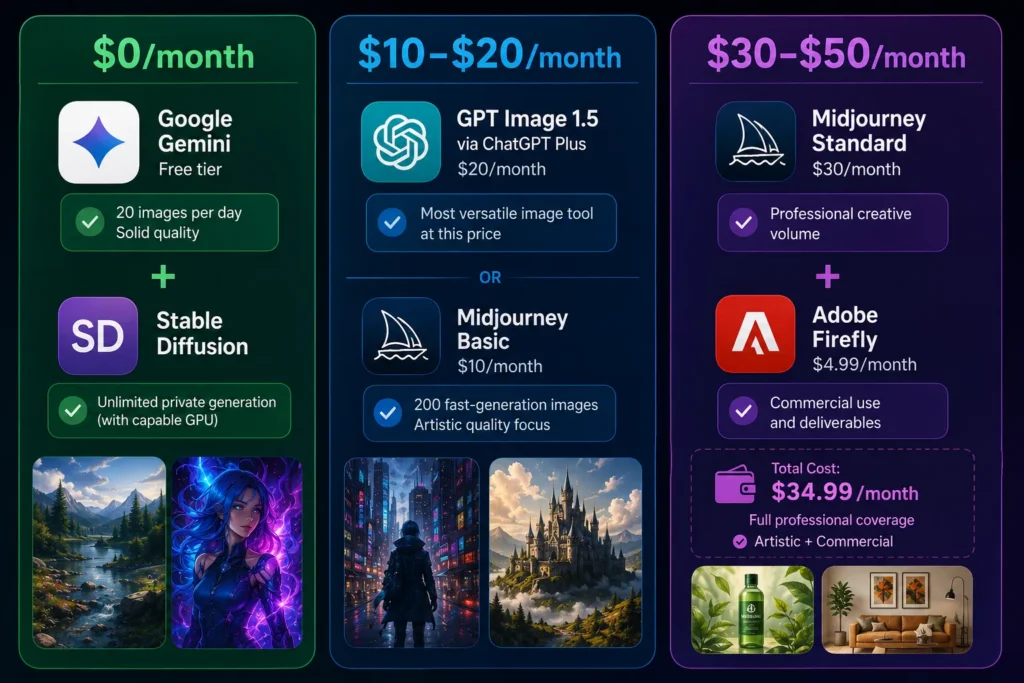
Google Gemini free tier covers most beginner needs — 20 images per day at solid quality. Add Stable Diffusion if you have a capable GPU and want unlimited private generation.
$10–$20/month
GPT Image 1.5 via ChatGPT Plus ($20/month) gives you the most versatile image tool at this price. Alternatively, Midjourney Basic at $10/month gives you 200 fast-generation images if artistic quality matters more than text accuracy.
$30–$50/month
Midjourney Standard at $30/month covers professional creative volume. Pair it with Adobe Firefly credits at $4.99/month to handle commercial deliverables. Total cost: $34.99/month for full professional coverage across both artistic and commercial use cases.
Conclusion
The best AI tool for image generation depends on one thing: what you actually need it for. GPT Image 1.5 wins on prompt accuracy and text rendering. Midjourney V7 wins on artistic quality. Adobe Firefly wins on commercial safety. Google Gemini wins on free tier value. No single tool dominates every category — and that is the point.
AI image generation in 2026 is not what it was 12 months ago. Free tiers now produce output that paid tools could not match in 2024. Text rendering is no longer a weak spot — GPT Image 1.5 and Ideogram 3.0 place readable, styled typography inside images reliably. 4K output is a baseline, not a premium feature. Midjourney V7, FLUX.2, Imagen 4, and Recraft V4 all produce 4,096 × 4,096 pixel images — print-ready, from a text prompt.
Most people overcomplicate the decision. Start with your budget. At $0, Google Gemini covers daily creative needs with 20 free images. At $20/month, ChatGPT Plus with GPT Image 1.5 handles the widest range of use cases. At $30/month, Midjourney Standard delivers the highest artistic quality available. The 9 tools on this list cover every use case — from a blogger needing 1 free image per day to a brand agency running 500 commercial assets per month. Pick the one that matches your workflow, test it on your actual project, and switch only if the output consistently falls short.