For most US channels, the best time to post long-form online video is Tuesday, Wednesday, or Thursday afternoon, roughly 2–4 p.m. local time. Shorts do best on Friday between 4 and 7 p.m. Sunday morning, 9–11 a.m., is a solid second window for long-form video viewing.
Online video only works if people are watching when it goes up. A new upload needs early views, comments, and watch time before the evening viewing surge hits, or the algorithm has nothing to act on. A tutorial channel aimed at US business owners, for instance, tends to get a better first-hour click-through rate posting video at 2 p.m. Eastern than at 9 a.m., since that slot lines up with lunch on the West Coast too, when video viewing picks up across the platform generally.
What Is the Best Time to Post on YouTube?

Early-to-mid afternoon on weekdays, mid-morning on weekends, for video viewing generally. The 2–4 p.m. Eastern window catches three groups of viewers at once: East Coast viewers on lunch, Midwest viewers wrapping up tasks, and West Coast viewers starting their afternoon. On weekends, 9–11 a.m. works best, before errands and family plans pull viewers away from their screens.
The viewing pattern holds across video formats, but not evenly. Long-form video leans hard on that first two-hour window, since the algorithm uses early watch time and subscriber notifications to decide how far to push a video to new viewers. Shorts get recirculated through the Shorts feed for days, so a later upload costs less than it would for a 20-minute video. Screen matters too: viewers on phones tend to watch in short bursts during work breaks, while viewers on connected TVs settle in for longer video sessions at night.
Full Week at a Glance
| Day | Long-Form Video | YouTube Shorts | Live Streams / Premieres |
| Monday | 2 p.m. – 4 p.m. | 12 p.m. – 3 p.m. | 7 p.m. – 10 p.m. |
| Tuesday | 2 p.m. – 4 p.m. | 12 p.m. – 3 p.m. | 7 p.m. – 10 p.m. |
| Wednesday | 12 p.m. – 3 p.m. | 12 p.m. – 3 p.m. | 7 p.m. – 10 p.m. |
| Thursday | 12 p.m. – 3 p.m. | 12 p.m. – 3 p.m. | 7 p.m. – 10 p.m. |
| Friday | 3 p.m. – 5 p.m. | 4 p.m. – 7 p.m. | 7 p.m. – 10 p.m. |
| Saturday | 9 a.m. – 11 a.m. | 11 a.m., 6 p.m. – 9 p.m. | 2 p.m. – 8 p.m. |
| Sunday | 9 a.m. – 11 a.m., 5 p.m. – 7 p.m. | 6 p.m. – 9 p.m. | 2 p.m. – 8 p.m. |
Why Posting Time Affects Performance
The algorithm rewards videos that get engagement fast. Post at 2 p.m., when 40,000 subscribers are actively browsing, and a video picks up clicks, watch time, and comments within the hour, which is enough signal for YouTube to push it into more suggested feeds and search results. Post at 3 a.m. and the video sits idle for hours before anyone finds it, leaving the algorithm with little to go on.
Three things matter most in that early window:
- Click-through rate on the thumbnail and title
- Average view duration in the first few minutes
- Comments and likes in the first hour
A channel that consistently uploads during dead hours can put out strong content and still underperform, simply because the algorithm never got the early signal it needed.
Best Time to Post Long-Form Videos, Day by Day
Monday: 2–4 p.m.
Mornings go to catching up on email and tasks, so afternoon uploads catch viewers once that settles. A finance channel posting a market recap at 2:30 p.m. Eastern hits both the after-lunch lull on the East Coast and the late-morning break out West.
Tuesday: 2–4 p.m.
One of the two strongest weekdays. By Tuesday people have settled into their routine, so engagement is more predictable than on Monday. Educational and tutorial content does especially well here, since midweek puts people in a learning mindset.
Wednesday: 12–3 p.m.
A bit earlier than the rest of the week. Midweek viewing peaks sooner in the day, which is why many creators treat Wednesday as their main upload day. A 15-minute recipe video posted at 1 p.m. on Wednesday tends to beat the same video posted at 4 p.m. Thursday.
Thursday: 12–3 p.m.
Mirrors Wednesday. Afternoon uploads catch midday browsing and set up for the surge heading into Friday. B2B content does well here, since decision-makers browse during work breaks as the week winds down.
Friday: 3–5 p.m.
One of the strongest days overall for long-form. People are shifting from work mode into weekend mode, which lifts lifestyle and entertainment content. A product review posted at 4 p.m. Friday often outperforms the same video posted earlier in the week by a wide margin.
Saturday: 9–11 a.m.
Weekend viewers wake up and start watching earlier, with more time for longer sessions. How-to videos and explainers do well here: Saturday morning favors sit-down viewing over quick scrolling.
Sunday: 9–11 a.m.
A smaller spike also shows up 5–7 p.m. as people brace for the week ahead. Sunday morning is consistently one of the strongest single windows all week for long-form content.
Best Time to Post Shorts, Day by Day
Shorts do best Friday, 4–7 p.m., with weekday afternoons (12–3 p.m.) as a secondary window. Shorts behave differently from long-form: the Shorts feed keeps resurfacing clips for days, so the exact hour matters less than it does for a 20-minute video.
Evenings beat afternoons overall, especially 6–9 p.m., when people scroll to unwind after dinner. Friday combines that evening scroll habit with the weekend mindset shift, which is why it outperforms every other day. Saturday comes close behind, particularly around 11 a.m., when a smaller group checks Shorts before starting their weekend.
A 45-second workout clip posted at 6 p.m. Friday tends to pick up more shares in its first three hours than the same clip posted at noon on a Tuesday, just because more people are already scrolling at that hour.
Shorts Schedule by Day
| Day | Best Window | Secondary Window |
| Monday | 12 p.m. – 3 p.m. | 6 p.m. – 8 p.m. |
| Tuesday | 12 p.m. – 3 p.m. | 6 p.m. – 8 p.m. |
| Wednesday | 12 p.m. – 3 p.m. | 7 p.m. – 9 p.m. |
| Thursday | 12 p.m. – 3 p.m. | 7 p.m. – 9 p.m. |
| Friday | 4 p.m. – 7 p.m. | 7 p.m. – 9 p.m. |
| Saturday | 6 p.m. – 9 p.m. | 11 a.m. |
| Sunday | 6 p.m. – 9 p.m. | 5 p.m. – 7 p.m. |
Best Time for Live Streams and Premieres
7–10 p.m. on weekdays, 2–8 p.m. on weekends, timed to when viewers are already watching, not before. Live content needs people present in real time, so publishing ahead of peak hours (which helps long-form video) actually hurts a stream, since there’s no one around yet to tune in.
Premieres pair a live chat with pre-recorded content, so the same rule applies. A Premiere scheduled for 8 p.m. Thursday, when subscribers are already browsing, pulls in far more live comments than one set for 11 a.m., when most of the audience is still at work.
How Content Type Changes the Schedule
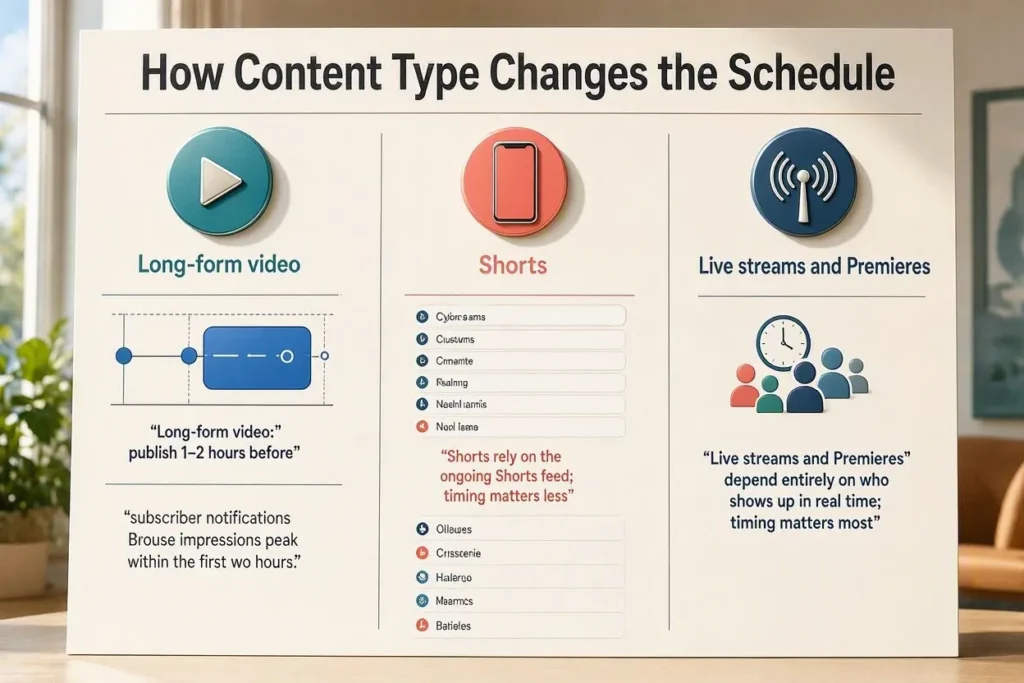
Each format relies on a different distribution mechanism, so timing matters differently for each. Long-form video leans on subscriber notifications and Browse impressions in the first two hours, so timing carries a lot of weight. Shorts lean on the ongoing Shorts feed, so timing matters less. Live streams and Premieres depend entirely on who shows up in real time, so timing matters most of all.
- Long-form video: publish 1–2 hours before the audience’s peak window
- Shorts: publish during active browsing hours, weekday afternoons or Friday evening
- Live streams: publish exactly when the audience is already online, never earlier
- Premieres: use the same peak window as live streams
A channel running all three formats in one week needs separate timing for each rather than one blanket schedule.
Time Zones and a US Audience
A video posted at 2 p.m. Eastern lands at 11 a.m. Pacific, still a workable late-morning slot. Post at 5 p.m. Eastern instead, and it lands at 2 p.m. Pacific, missing the West Coast’s after-work peak entirely.
If a channel’s audience spans multiple time zones, check the Geography report in YouTube Analytics to see which region holds the largest share of watch time, then apply the windows above to that region’s local time, not the creator’s own. A creator based in Los Angeles with an East Coast audience needs to publish at 11 a.m. Pacific to hit the 2 p.m. Eastern window, not 2 p.m. Pacific.
Finding Your Own Best Time in YouTube Analytics
Open YouTube Studio and check “When your viewers are on YouTube,” under the Audience tab. It’s a heat map of subscriber activity by hour and day, built from the last 28 days, and it updates as behavior shifts.
- Open YouTube Studio, select Analytics
- Click the Audience tab
- Scroll to “When your viewers are on YouTube”
- Note the darkest blocks (peak activity hours)
- Compare those hours against the schedule above
- Publish 1–2 hours before the darkest block for long-form content
A gaming channel with 80,000 subscribers might find its heat map peaks at 9 p.m. Eastern instead of the usual 2 p.m. window, since gaming audiences often skew later. Once a channel has a few thousand subscribers and a real pattern to look at, its own data matters more than the general schedule.
How Posting Time Affects Reach Over Time
Strong watch time in the first hour gets a video pushed into more suggested and search placements, which raises its total views over its lifetime. The same video, published at 4 a.m. instead, often ends up with far fewer total views, not because the content changed, but because nobody was around to give it early signal.
This compounds for anyone building a long-term audience: wider distribution today means more subscribers and repeat viewers tomorrow. Good timing doesn’t make a video better, but it does determine how many people actually see it before it drops out of rotation.
Mistakes to Avoid
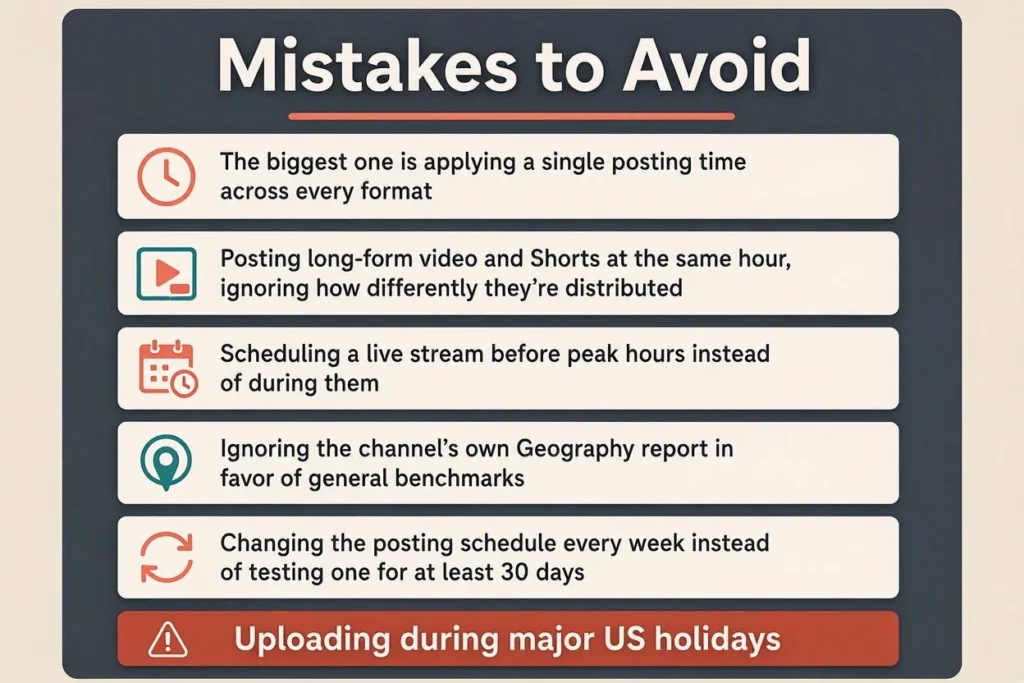
The biggest one is applying a single posting time across every format. A few others worth naming:
- Posting long-form video and Shorts at the same hour, ignoring how differently they’re distributed
- Scheduling a live stream before peak hours instead of during them
- Ignoring the channel’s own Geography report in favor of general benchmarks
- Changing the posting schedule every week instead of testing one for at least 30 days
- Uploading during major US holidays without accounting for lower overall traffic
- Treating posting time as more important than thumbnail quality, title clarity, and retention
Fixing even two or three of these usually shows up in early engagement numbers within a month.
Checklist for High-Performing Videos
Posting time alone won’t save a weak thumbnail or a vague title. Alongside the schedule above:
- Write a title that states the payoff in under 60 characters that matches what someone browsing actually wants
- Design a thumbnail with a clear focal point and strong contrast, since it’s what catches the eye before anyone reads the title
- Deliver the video’s core value in the first 15 seconds, since viewers drop off fastest during a slow intro
- Add relevant tags and a clear description so search and discovery can match the video to what people are looking for
- Include a call to action that invites comments, since early comments signal to the platform that people are watching and reacting
- Keep a consistent upload cadence, whether that’s one video a week or three, so viewers know roughly when to expect something new
- Cross-promote uploads through Shorts or Community posts, since a Short linking back to a long-form video extends its early window past the first hour
- Track viewership by upload time in Analytics for at least 30 days, since a schedule that looks right on paper still needs a channel’s own data to confirm it
Check off six or more of these consistently, and posting time becomes the thing that decides how many people see a video, not a fix for weaker content.
Conclusion
Posting time decides how fast a video picks up its first engagement signals, and that early data decides how far the platform pushes it afterward. Weekday afternoons between 2 and 4 p.m., Friday evenings for Shorts, and real-time scheduling for live streams cover most of what a US creator needs for a working schedule. Check the Audience tab monthly, adjust for your actual viewers, and treat the windows above as a starting point rather than a rule. Pair consistent timing with strong thumbnails and clear titles, and the audience builds faster than it would by chasing the algorithm alone.